Need help?
Do you have a question about the Ametek Deka PowerForce and is the answer not in the manual?
Guidance on effectively using the manual, including understanding special annotations.
Details on locating unit identification numbers like model and serial numbers on the front panel.
Instructions for checking equipment upon receipt, reporting damage, and handling shipping errors.
Explains the different operating modes available for the charger, such as conventional and opportunity charging.
Details the standard charge control system and its features, including termination methods and data archiving.
Describes conventional charging methods for batteries, noting limitations for lithium batteries.
Explains opportunity charging for high current output during short breaks, suitable for up to 25% charging.
Details fast charging capabilities up to 50%, ideal for opportunity charging and lithium batteries.
Outlines general safety rules, burn prevention, and fire/explosion hazards for charging equipment.
Covers preventing electrical shock, arcing, and burning from connectors and improper grounding.
Details emergency first aid procedures for electrical shock and acid exposure.
Guidance on selecting an optimal installation site, considering environmental factors and airflow.
Explains the importance of proper grounding for safety and static discharge, referencing electrical codes.
Instructions for connecting AC power input cables and specifies acceptable supply input conditions.
Provides dimensions for the mounting pattern and details on fastener specifications.
Discusses special considerations for on-site power generation and backup systems.
Guidance on correctly connecting charging cables, ensuring proper polarity and secure connections.
Instructions to inspect the charger for damage, loose connections, and ensure all labels are visible.
Details common pre-operation changes to factory settings like time, voltage, capacity, and curve.
Procedures for inspecting and cleaning the charger interior, including safety precautions.
Steps to ensure the charger is installed, grounded, and connected to AC power before operation.
Step-by-step guide for performing a normal or daily charge cycle on a battery.
Explains when and how to perform an equalize or weekend charge to correct cell inequalities.
Instructions on how to manually stop a charge cycle before completion.
Describes how the charger resumes charging after an AC power interruption.
Shutdowns due to high or low battery voltage conditions or cell count mismatches.
Shutdowns related to low/high current, backup timer timeouts, or over max AH returned.
Shutdowns due to battery or charger over-temperature conditions.
Shutdowns for charge engine errors or incompatible BID battery data.
Lists the primary capabilities and functions of the PowerForce Control system.
Details how to review archived charge cycle data, including various parameters.
Outlines the various programmable start modes available for the charger.
Lists various failure modes that can cause the charger to shut down.
Explains the charger's capability to charge batteries of different voltage sizes.
Details how the charger modifies output voltage for battery temperature variations.
Describes monitoring and controlling maximum battery temperature during charging.
Explains VT, Voltage Time termination and the patented DV/DT technique.
Details the point at which the charger identifies 80% charge completion.
Highlights the user-friendly interface of the touch screen display with plain English.
Explains how the Statistics App can be used to review charge cycle history.
Covers automatic start, time-of-day start, delayed start, and time-of-day blockout modes.
Explains how to manually override programmed start modes for immediate charging.
Details the three types of automatic equalize: by cycle, BID cycle, or day of week.
Explains the feature to set a cool down period for the battery after charging.
Describes setting a timer to prevent gassing above 80% capacity.
Explains setting a maximum battery temperature limit to prevent overheating.
Details how to enable a 4-number password for programming functions.
Describes the default Home screen and its navigation options.
Explains the Dashboard app for displaying real-time charge cycle information.
Details accessing charge data from the current cycle via the Statistics app.
Explains the Archive app for saving and tracking charging records and battery data.
Describes the Settings app for customizing charger output and parameters.
Covers Home, Clock, Battery, Info, and Charge Time icons for interface navigation.
Displays State of Charge, Temperature, Status, VPC, Amps, Date/Time, and Wireless connection.
Includes Returned Amp Hours and total Charge Time for the cycle.
Covers 80% to End time, Battery OCV, Start/Finish Volts, and Equalize Time.
Includes Start Amps, Start Time, End Time, and Finish Amps.
Details Battery ID, BID temps, AH capacity, cell count, and battery type.
Displays maximum current and temperature for each charger module.
Indicates common states like Session Start, Gassing, and Charge Complete.
Errors related to battery voltage, temperature, and rejection.
Faults related to current limits, backup timers, and AH returned.
Errors for charge curve, DIDT, engine, communication, and warnings.
Errors reported by individual charger modules (e.g., Over Temp, IGBT Err).
Shows battery ID, AH returned, time, and start/end voltage and current.
Displays battery/ambient temperatures and start/end times.
Details charge curve type, cycle parameters, and error counts.
Indicates subsystem faults, rectifier warning, and BID installed status.
Presents charge return ratio and average temperature over battery lifetime.
Opens the settings menu with eight access icons for various configurations.
Location for changing default settings like time, date, and battery parameters.
Configuration for automatic, time-of-day, or delayed start modes.
Selection of battery type and charge curve parameters, including custom settings.
Configuration of BID/BMS settings for connected batteries and communication.
Setting the equalize type and frequency for batteries.
Configuration of refresh charge cycles, including timing and voltage per cell.
Setting the no gassing time to prevent charging above 80% capacity.
Setting up a battery watering indicator to alert users.
Contains parameters like Control SN, Cool Down Hours, Fixed Temperature, and Display Backlight.
Includes settings for Temperature Compensated Voltage, Password, and Multi-Volt Mode.
Enables password protection to secure control settings modification.
Enables automatic cell selection for multi-cell batteries or fixed voltage settings.
Configures the display to go blank after a period of inactivity to save power.
Configuration for EPID and Wireless Access for network connectivity.
Setting the charger's internal clock and date.
Screen for setting the charger's current time and date.
Process for calibrating the touch screen display by pressing indicated points.
Covers automatic, TODS, delayed, and TODB start modes.
Enables manual override of programmed start modes.
Allows selection of supported battery voltage and modification of charge curve.
Explains termination types and settings for fixed AH and additional charge time.
Programs battery ID, AH capacity, cell count, and charge curve into the BID.
Configures BMS mode, including CAN communication and optional/required settings.
Sets equalize type and frequency: Off, Cycle, Day of Week, BID Cycles, or Manual.
Sets the number of hours or VPC level before a refresh charge starts.
Timer to prevent gassing above 80% capacity by setting time or blockout periods.
Prevents more than one full charge per day, regardless of programming.
Enables a battery watering indicator to alert users when watering is needed.
Details the warranty coverage period for chargers and parts, including exceptions.
Specifies warranty periods start from the date of shipment by the manufacturer.
Outlines the manufacturer's liability limited to repair or replacement of defective products.
States that unauthorized alterations or use of defective product voids all warranties.
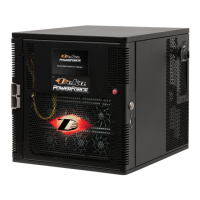
The Deka PowerForce is a motive power charger designed for industrial battery charging applications. It utilizes an IGBT inverter high-frequency circuit with isolating transformers to regulate charging current, allowing the battery to determine its own charge cycle rate based on its state of discharge. This design provides a constant current-constant voltage-constant current (IEI) charge, which eliminates the possibility of overcharging, even with line voltage variations of ±10%, and ensures the battery finishes at the proper current regardless of age or gravity type.
The PowerForce charger is capable of charging batteries across a wide range of environmental conditions. It precisely charges batteries based on their temperature, type, and size by automatically adjusting its output charge characteristics within the power limits of its power circuit. When equipped with the optional Battery Identification Module (BID), the charger identifies the connected battery and adjusts its output accordingly. During the charge cycle, the PowerForce continuously monitors the battery's temperature via the BID and adjusts its output to match temperature changes. Upon connection, the PowerForce control reads information programmed into the BID, including AH rating, cell size, type of construction, electrolyte temperature, and programmed charge method, then adjusts its output curve based on this data. The charger is internally protected against overload and short circuits through input and output fusing, and a unique curve monitoring circuit ensures that voltage and current remain within factory-set limits.
The PowerForce supports various operating modes:
The PowerForce Control is the standard charge control, employing either a voltage/time (VT) charge termination or a patented delta voltage/delta time (dV/dT) technique. This dV/dT method prevents excessive gassing while returning approximately 107% of the amp-hours removed from the lead battery. Features include auto start/stop, manual equalize, manual stop, back-up timer protection, two charge termination methods, manual or automatic (with optional BID module) battery temperature compensation, AC power fail recovery, selectable output profiles, and charge cycle data archiving.
The charger features a backlit touch screen display that indicates the status of a normal charge cycle. It displays "80% Charged" when battery current reduces to approximately 8.2 amps per 100 AH of battery rating, with voltage varying based on charge profile and temperature settings. "Charge Complete" is displayed when the charge cycle is finished.
The PowerForce Control offers several programmable features to meet specific charging needs:
For uninterrupted and satisfactory service, the unit must be kept clean, dry, and well ventilated.
The manual emphasizes strict adherence to safety rules to prevent injury, death, or equipment damage. Only qualified personnel should install, use, or service the equipment. Shock prevention measures include verifying adequate grounding, avoiding work in damp areas, inspecting charging leads, and not touching battery terminals during operation. A 5-minute delay is required after AC power removal for full discharge. Burn and bodily injury prevention involves avoiding contact with battery terminals and cell connectors with metal objects, and wearing correct eye and body protection due to corrosive battery acid. Fire and explosion prevention includes charging in well-ventilated areas, avoiding open flames or sparks near batteries, and not placing metallic objects on batteries. Arcing and burning of connectors are prevented by ensuring the charger is OFF before connecting or disconnecting the battery. First aid facilities and trained personnel should be available for electrical shock victims and acid exposure.
 General
| Input Frequency | 50/60 Hz |
|---|---|
| Dimensions | Varies by model |
| Weight | Varies by model |
| Battery Type | Lead-acid |
| Charging Stages | Bulk, Absorption, Float |
| Protection Features | Over Voltage, Over Current, Over Temperature, Short Circuit |
| Operating Temperature | -20°C to 50°C |

 To Next Page