INITIATION OF THE PRESSURE SENSOR
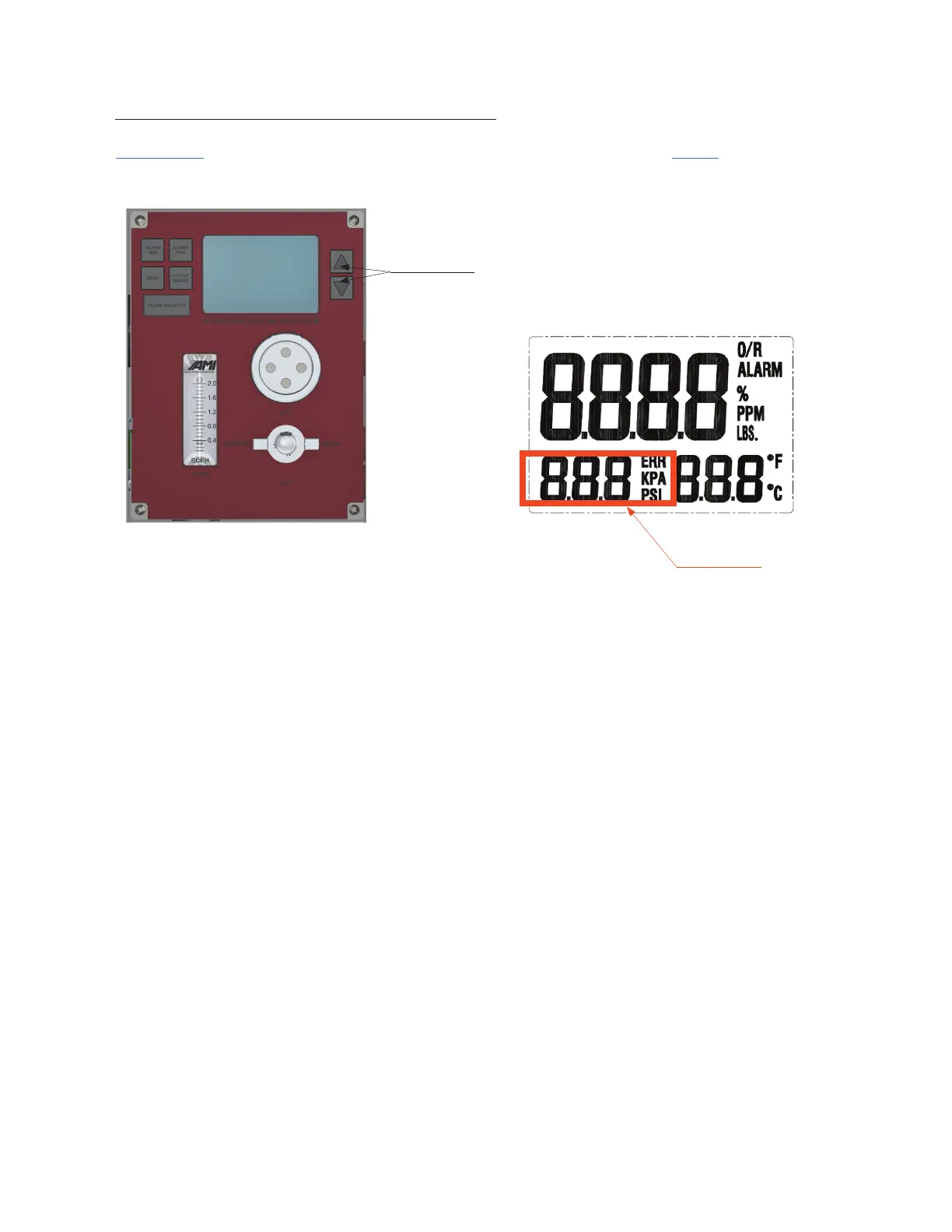
Up and Down
Arrow Buttons
Pressure Reading
IMPORTANT: YOU MUST CALIBRATE THE PRESSURE SENSOR READING TO 0.0 PRIOR TO ANY GAS
CONNECTIONS. THIS WILL CORRECT FOR ELEVATION VARIATIONS.
12. Press and hold the DOWN ARROW BUTTON until the 'PSI' indication on the LCD begins to blink
(this will take a few seconds).
13. Then press the UP and DOWN ARROW BUTTONS until the pressure reading goes to a value
of '0.0 PSI'.
14. The LCD will revert back to operation mode in ~ 3 seconds when no buttons are pressed.
15



 To Next Page