ANALYZER OPERATION
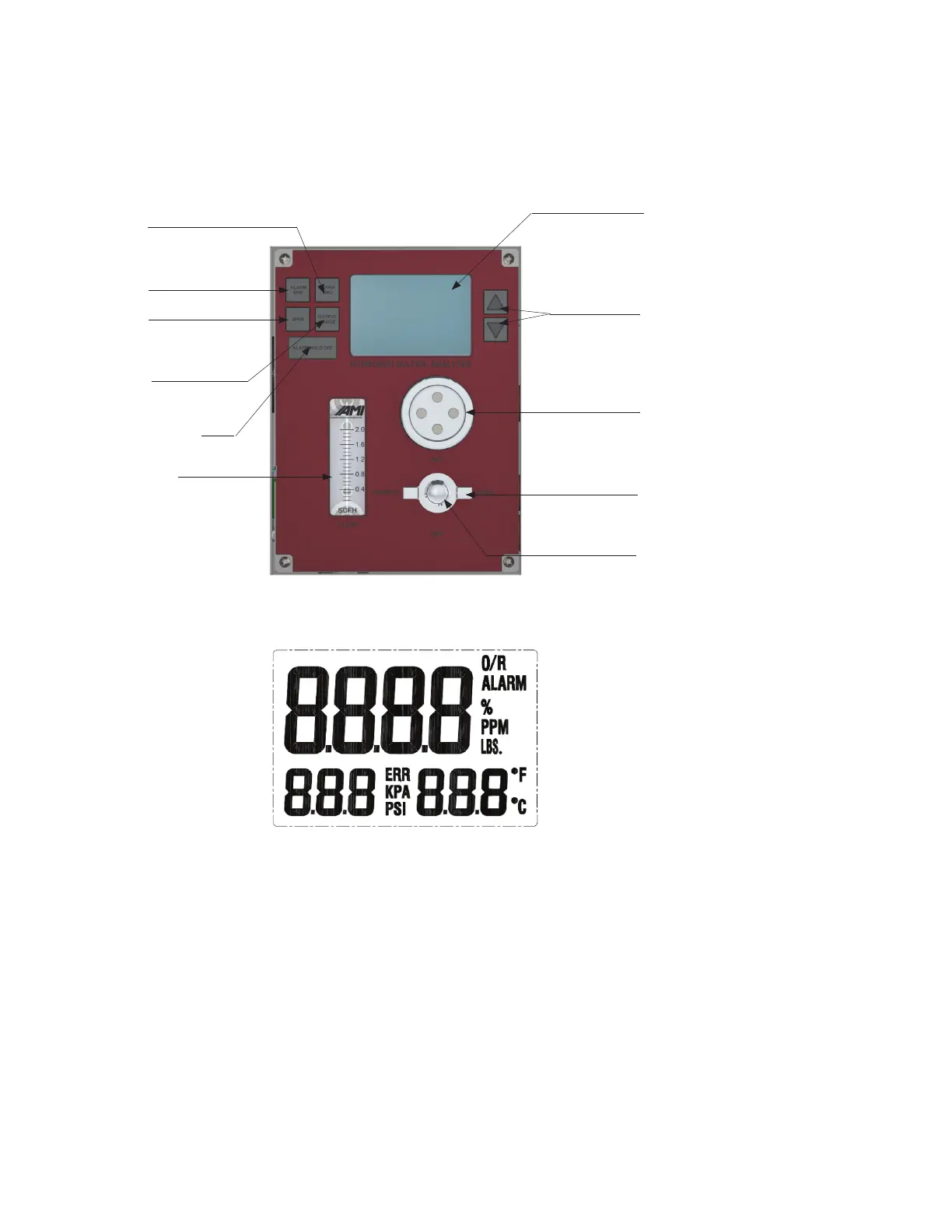
Front Panel Interface
Up and Down
Arrow Buttons
LCD
Alarm
Two
Alarm
One
Span
Button
Alarm Hold off
Flow Meter
Cell Cap
3-way Selector Valve
(Sample/Span/Off)
Output
Range
Metering Valve
Readings on the LCD
1) H
2
S readings are displayed in ppm or %, based on the current reading level.
2) Operating Temperature can be displayed in either Fahrenheit (°F) or Celsius (°C).
Note: Fahrenheit is the factory default unit for temperature. Users can switch to Celsius by
changing the settings in the COMMAND CENTER User Interface Software. Refer to the
COMMAND CENTER Operator Manual for the proper instructions.
3) Inlet Gas Pressure is can be displayed in either psi or kPa.
Note: 'psi' is the factory default unit for gas presssure. Users can switch to kPa by changing the
settings in the COMMAND CENTER User Interface Software. Refer to the
COMMAND CENTER Operator Manual for the proper instructions.
4) The LCD will display 'ALARM' if either ALARM has been triggered.
5) The LCD will display 'ERR' if any 'fail-safe' error has been detected by the Analyzer.
24



 To Next Page