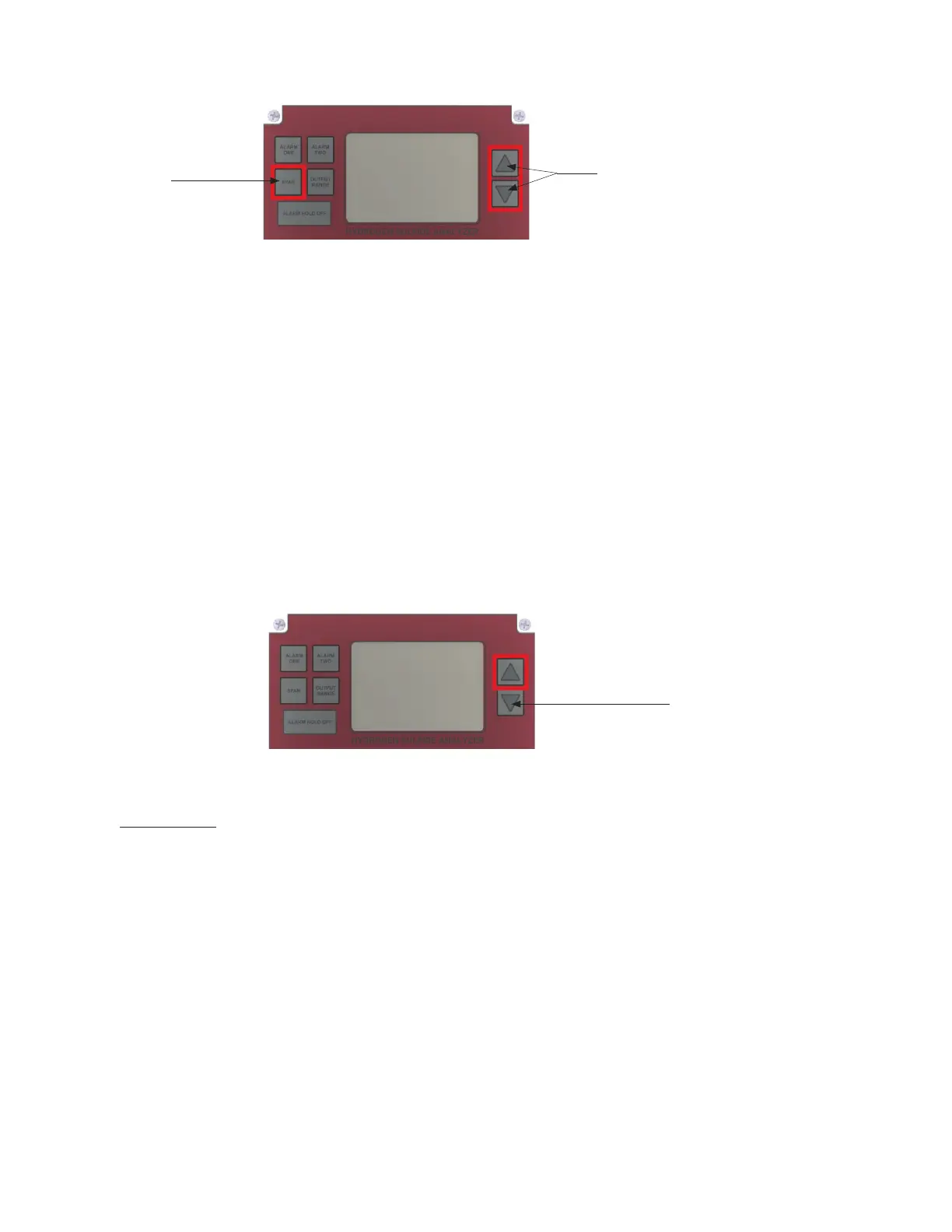
Press the SPAN Button and release. The word SPAN will appear on the LCD for 1 second and
then display the H
2
S reading, while the PPM FLAG blinks. Quickly press the appropriate
UP/DOWN ARROW to adjust the LCD reading to the value stated on your calibration gas
cylinder.
Span
Button
Up and Down
Arrow Buttons
7. Once completed, wait for a few seconds. The PPM FLAG will stop blinking, and the Analyzer will
accept the new calibration.
8. Turn the 3-WAY SELECTION VALVE back to the SAMPLE position (the H
2
S reading will quickly
drop to the value of the pipeline gas).
Press the UP ARROW BUTTON.
Up Arrow Button
DISPLAYING THE CURRENT SPAN FACTOR
IMPORTANT:
The SPAN FACTOR is an indication of sensor life. The span factor is accurate only after an accurate
callibration has been completed.
The SPAN FACTOR of a new H
2
S sensor is in the range of 400 to 600.
Over time, as the H
2
S sensor ages, each calibration should require an adjustment with the UP ARROW
BUTTON to correct for any degradation of the electrochemical sensor output (note: the degradation is
approximately 1% of the reading per month).
When the SPAN FACTOR reaches around 980, it will become necessary to replace the sensor during the
next calibration.
If you are calibrating the high range MODEL 3010BX Analyzer (0 – 2000 ppm) with a Span
Gas, the Span Gas needs to be >200 ppm.
23



 To Next Page