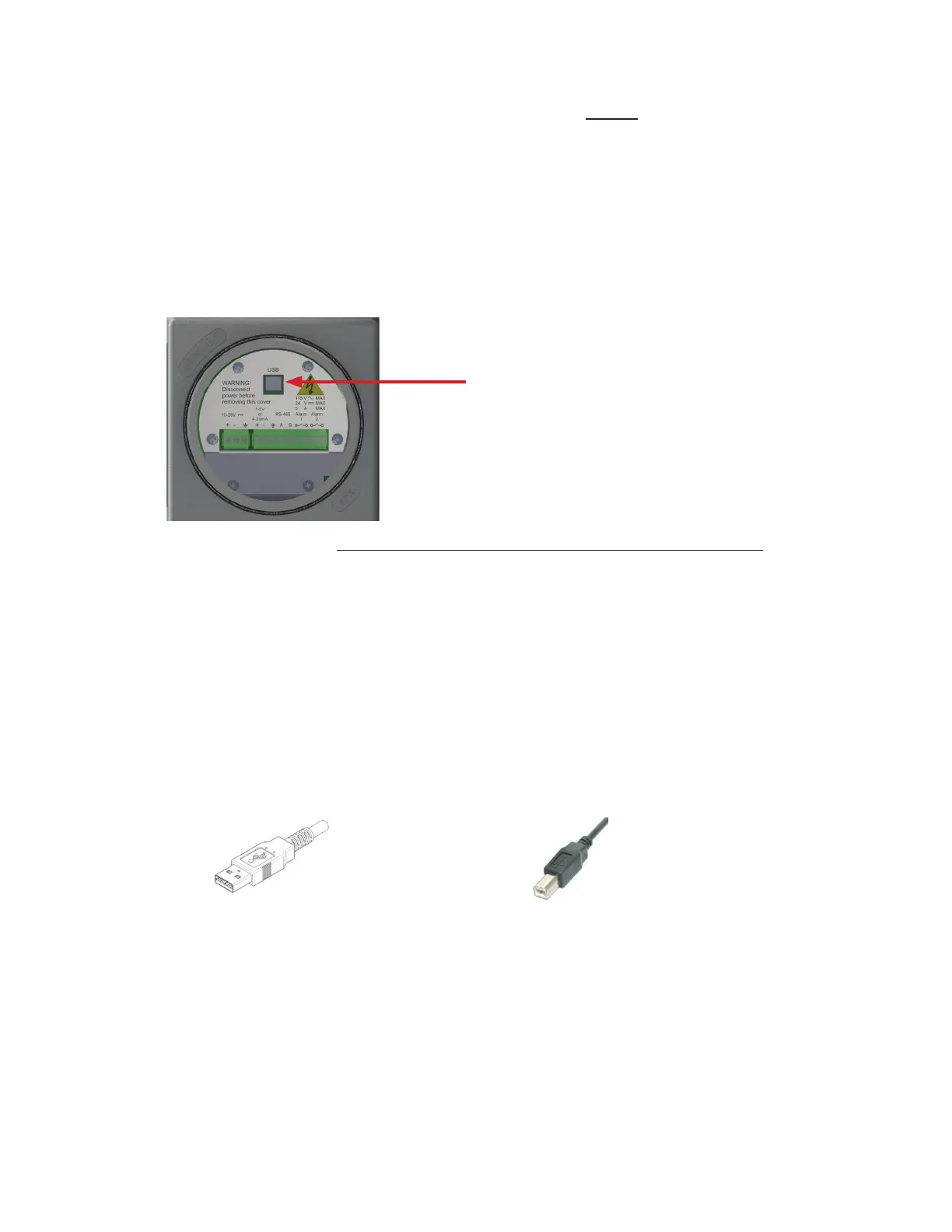
b) Using a USB cable with a Type A Connector on one end and a Type B Connector on the
other, insert the Type A Connector into the USB port of your laptop and the Type B
Connector into the USB port of the Analyzer on the Explosion-proof side.
Step 1: Remove the explosion-proof cover to access the USB Port (Type B) of the
Analyzer
COMMAND CENTER SOFTWARE SET-UP
To access the more sophisticated features available on MODEL 3010BX requires installing the current
version of the COMMAND CENTER Software
.
Step 2: Establish a Communication Link between your Laptop and the Analyzer
a) Power up your Laptop and open the current version of the COMMAND CENTER User
Interface Software.
USB Port (Type B)
(DC Power Version is shown. Instructions are the same for the
AC Power Version)
USB Type B ConnectorUSB Type A Connector
27



 To Next Page