NGX Mini 2 Jukebox 21 22022623 Rev B
Calibrating the Touchscreen
Every time a new hard drive is installed, the
touchscreen should be calibrated. Follow these steps
to calibrate.
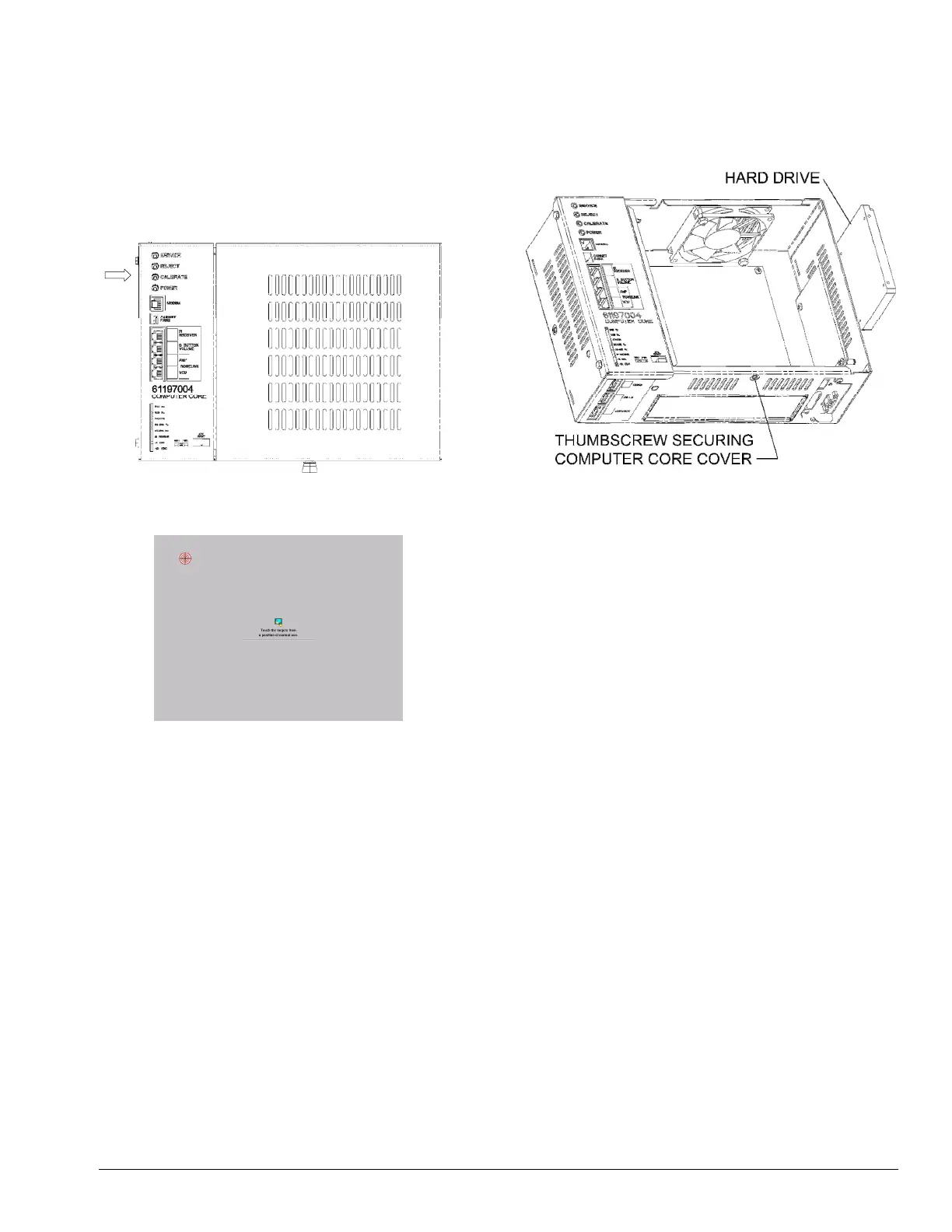
1. Press the “CALIBRATE” button on the Computer
Core (see Figure 2-D) to launch the calibration
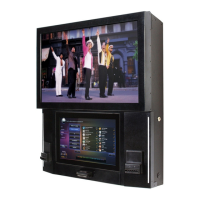
program (see Figure 3-D).
Figure 2-D – Computer Core
Figure 3-D – Calibration Screen
2. Close the jukebox door and make sure it is
locked.
3. Follow the directions on the screen, touching the
center of the targets, and then touching different
areas on the screen. If the cursor follows your
movement, touch YES to exit.
Hard Drive Replacement
1. Turn off and unplug the jukebox.
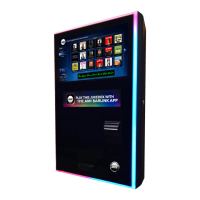
2. Loosen the thumbscrew securing the cover on the
Computer Core and slide it off (see Figure 4-D).
Figure 4-D – Computer Core
3. Carefully slide the hard drive out of the assembly
as far as cabling will allow.
4. Disconnect the SATA power and data cables from
the drive.
5. Connect the SATA power and data cables to the
new hard drive.
6. Slide the hard drive back into the assembly. Make
sure not to pinch any cables while doing so. Also
make sure cables are not interfering with cooling
fans.
7. Replace the Computer Core cover and secure it
with the existing thumbscrew.
Calibrate


 To Next Page