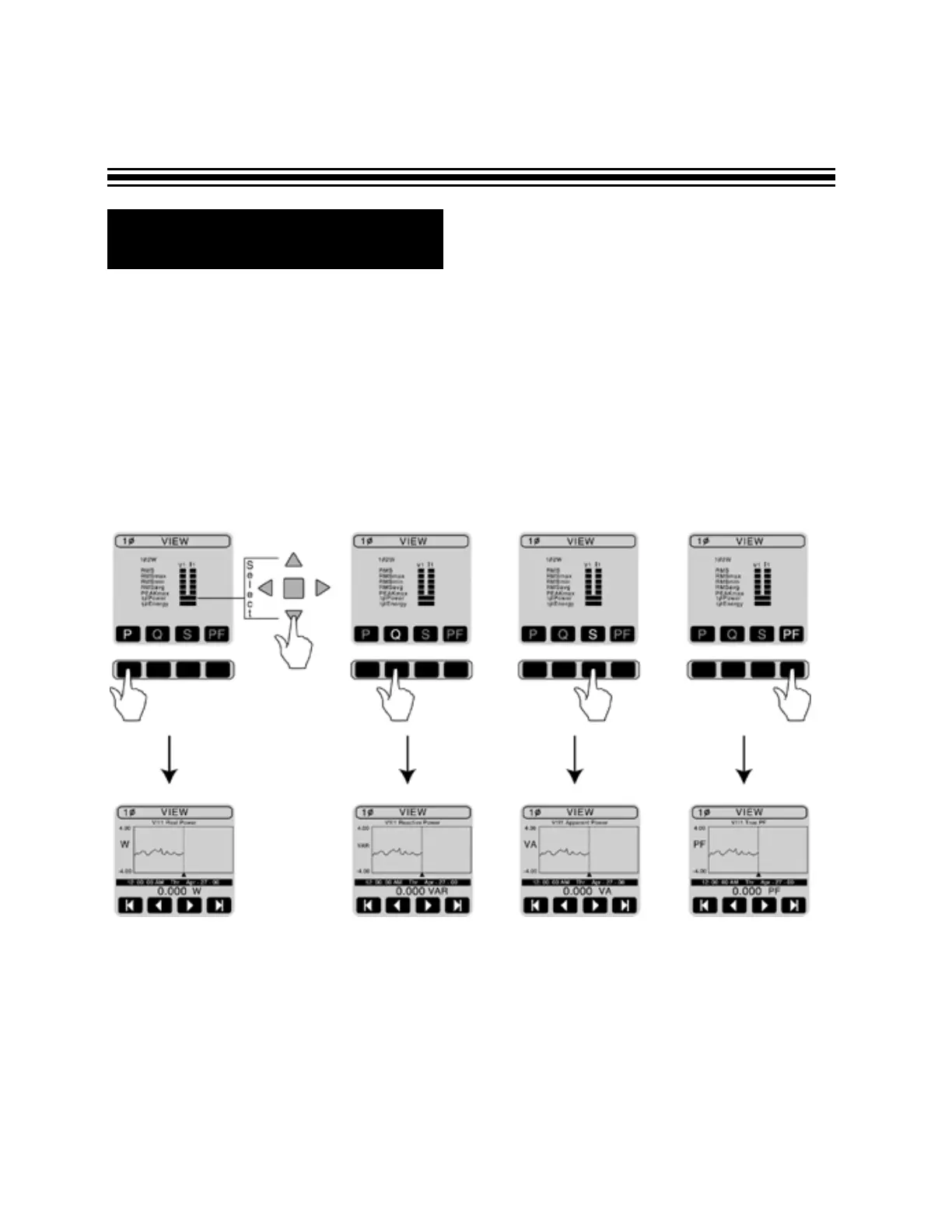
If you selected power, push corresponding black button to view:
P - Real Power
Q - Reactive Power
S - Apparent Power
PF - Power Factor
Press VIEW button to return to the selection screen.
Here is an example for single phase system:
Notice that if you are viewing data while recording, you can’t scroll through the data. This feature
will be available after the recording is finished.
R Viewing Data
Page 22


 To Next Page