- 3 -
- Use a genuine micro SD card of class 10 and above 8
GB. It supports a micro SD card of capacity up to 32 GB.
- Format the card before using. Do not remove the micro
SD card while it is saving or reading data.
- Do not leave the product where infants, children, or
pets can reach it.
- While cleaning the inside of the car, do not spray water
or wax directly onto the product.
- If smoke or an unusual smell is emitted from the power
cord, detach it immediately. Contact the seller’s customer
support for repair or replacement.
- Keep the terminal of the power cord clean.
- Use the correct input voltage.
- Connect the power cord firmly so that it cannot easily
be disconnected.
- Do not cover the product with any material.
- Clean the lens regularly.
- 4 -
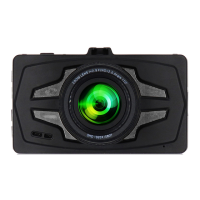
2. Sentry HD Dash Cam Features
1080P Full HD - All Sentry HD Dash Cams record the
road ahead in 1080P Full HD featuring excellent image
quality, night vision performance, and advanced dynamic
range
3.0” LCD Screen - Large LCD Display with video
playback directly on the device.
170° Viewing Angle - Ultra wide-angle view gives you a
full view of the road while at the same time minimizing
edge distortion.
Continuous Loop Recording - Footage is stored in 2, 3,
or 5 minute clips. When the memory card gets filled up,
the camera automatically deletes the oldest video
segments to make room for new ones.
Emergency Lock - Automatic or Manual - If you don’t
want a clip to be overwritten, simply click the Emergency
Lock button and the current clip will be protected. Clips
are automatically protected if an impact is detected.
G-Sensor - 3-axis accelerometer senses sudden
accelerations, stops, and collisions and automatically
protects footage surrounding the incident.



 To Next Page