- 13 -
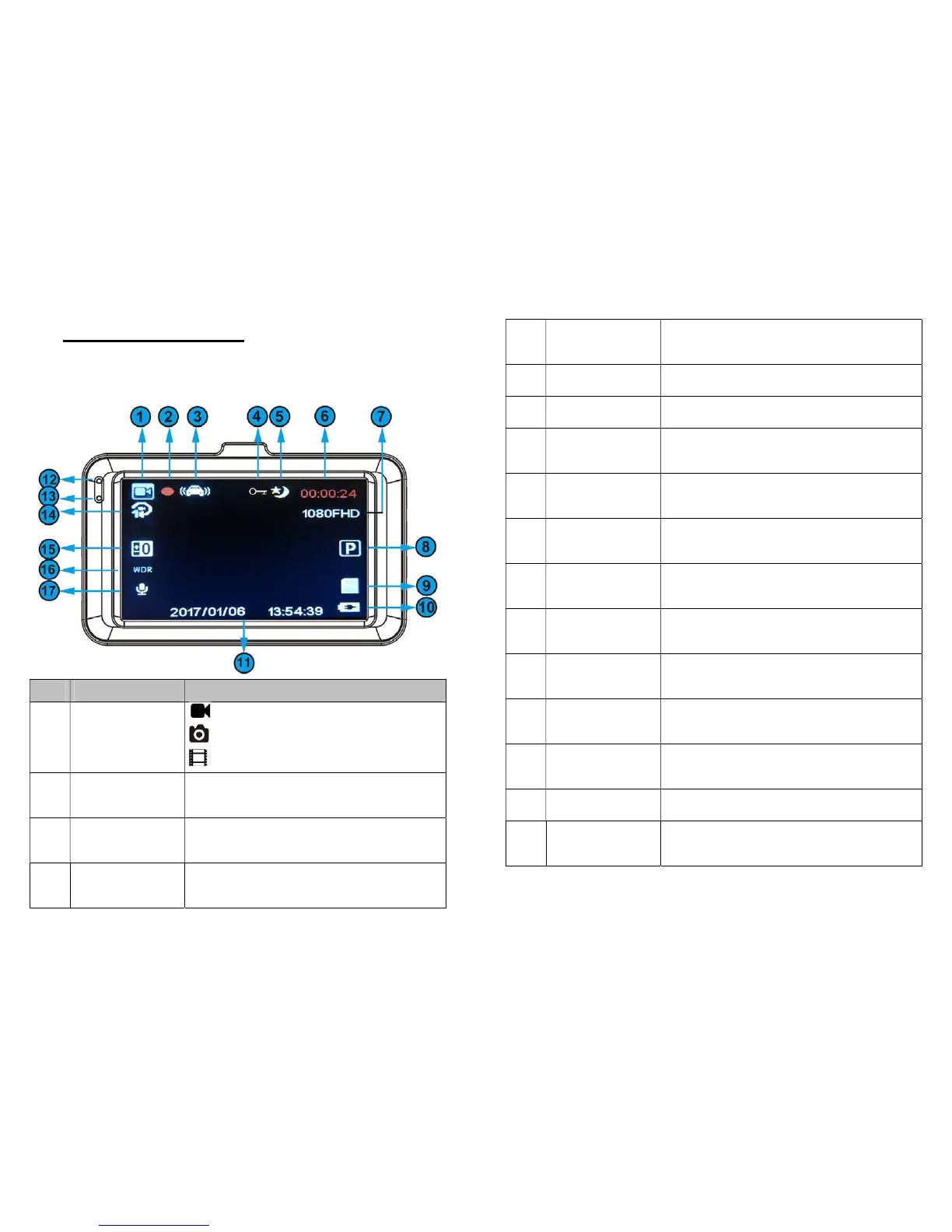
7. Screen Configuration
7.1 Sentry Only (Novatek chip)
1
Mode
Indicator
Video Mode,
Photo Mode,
Playback Mode
2
his icon indicates the camera
is currently recording.
3
G-Sensor
video is locked.
- 14 -
5
This icon indicates the camera
has entered night mode.
6
Video Time Current video time
7
Resolution Current video resolution
8
This icon indicates the Motion
Detection has been turned on.
9
icon indicates the Micro SD
card has been inserted.
10
battery. Flashing icon is normal.
The date watermark will be on
light while the battery is full.
13
The number is the length of
each video chip (in minutes)
15
Exposure
Level.
16
WDR WDR is on while icon shows up.



 To Next Page