- 7 -
4. Product Overview
- 8 -
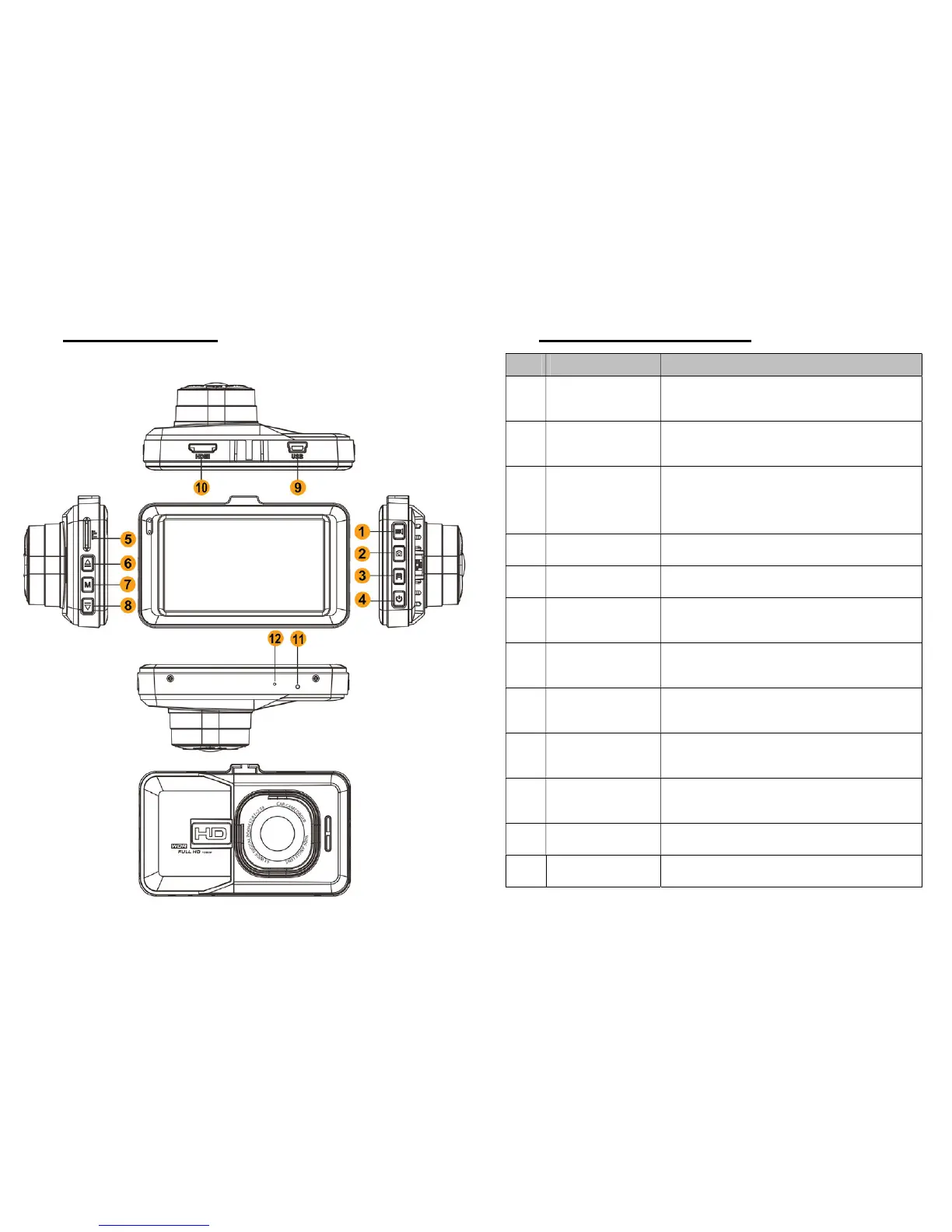
5. Controls and Connection
firms the setup; Start/Stop
recording or playing video.
2
Mode switch
Switch between video mode,
photo mode & playback mode.
3
Emergency
Lock
ually lock the current video
encountering beautiful shot
4
Power Power ON/OFF
5
SD Card Port
Location for the memory card
6
Up
Upward selection, view mode
switch (with rear camera only)
7
MENU
Enter/exit setup menu/delete
the video clip (Playback Mode)
8
Down
ON/OFF while recording
9
Mini USB Port
connection or HDMI cable.
11
Reset Press to reset the device
12
Microphone Records audio along with video



 To Next Page