915 Walsh Avenue / Santa Clara, CA 95050 (877) 801-0370 amqsolutions.com
userGUIDE
ACTIV-Pro sit-to-stand table
Reset
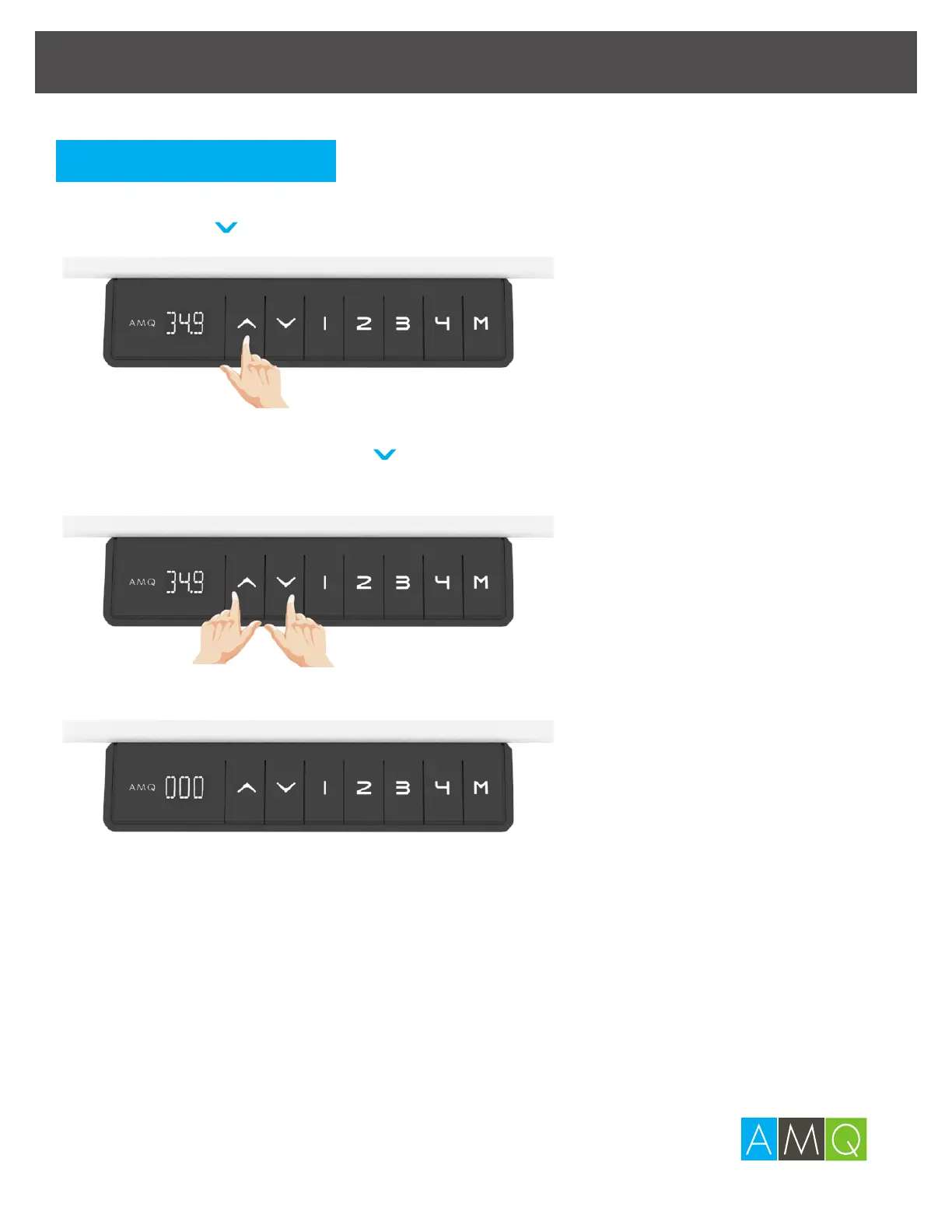
1 Simultaneously press
^
and for 5 seconds and
the desk will begin to go down.
2 The digital display will flash “000” while the desk goes down.
3 Once the desk has been reset, the digital display will keep
flashing for 2 seconds and a beeping sound will notify you
that the process has completed.
Note:
The desk will return to the previous height position if you release any of the
buttons before this process is complete.
Please reset for the first time use or when the desk legs aren’t moving
synchronize.
Press
^
or to adjust the height.
Adjusting the Height


 To Next Page