915 Walsh Avenue / Santa Clara, CA 95050 (877) 801-0370 amqsolutions.com
userGUIDE
ACTIV-Pro sit-to-stand table
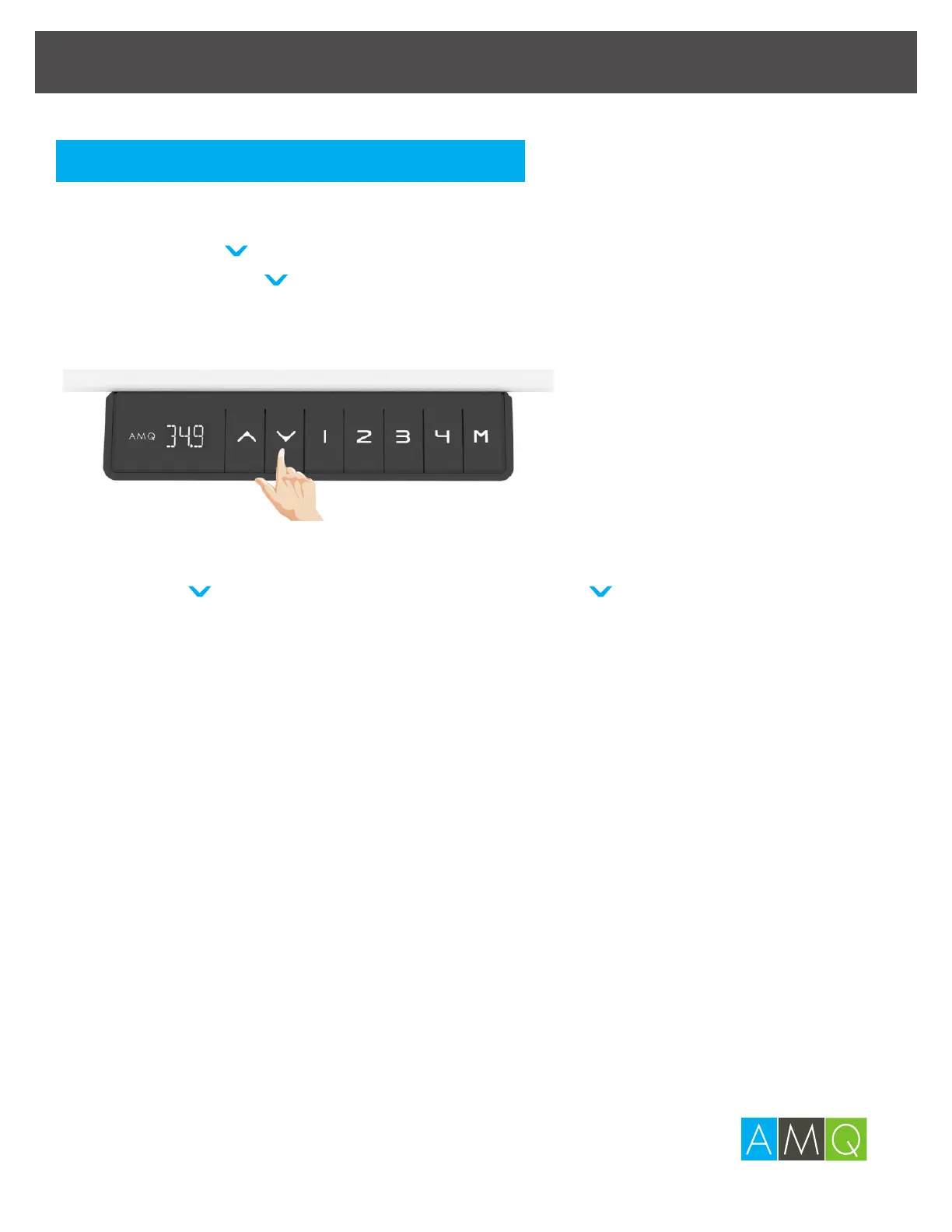
1 The original preset height is 25.5 in. If not indicated with correct
height, press to lower the desk to the minimum height.
Continue to press for 5 seconds to activate the starting
height setting mode. (The digital display will keep flashing) and
shows the current height.
2 Adjust the digital display to the correct height (25.5 in) with the
^
or keys. Once you are satisfied, press “
^
”
at the same time for 3 seconds until the digital display stops
flashing. This will confirm that you have successfully set the
starting height.
Presetting the Desk Starting Height


 To Next Page