915 Walsh Avenue / Santa Clara, CA 95050 (877) 801-0370 amqsolutions.com
userGUIDE
ACTIV-Pro sit-to-stand table
For questions or support, please contact AMQ Customer Care
at cc@amqsolutions.com or or (877) 801-0370.
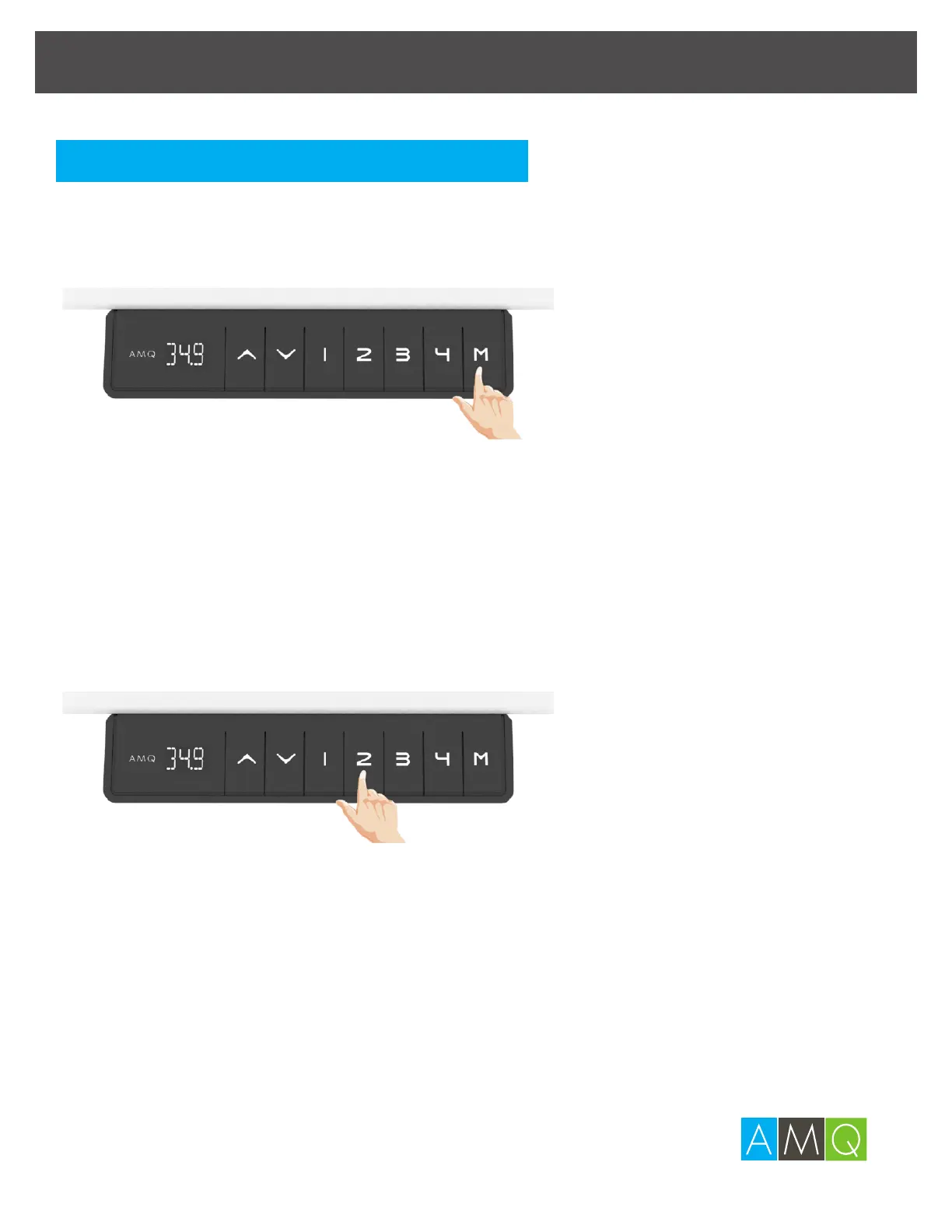
1 Adjust the desk to the desired height, then press M for
2 seconds. The digital display will flash for 5 seconds.
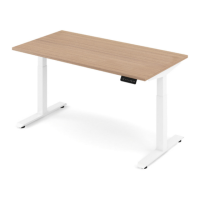
2 Press 1, 2, 3 or 4 to assign the desk’s position to the
respective button.
Note:
If you don’t finish this procedure within 5 seconds, the handset will log out
memory setting mode automatically.
Keep pressing 1, 2 ,3 or 4 to move the desk to memory position.
Setting the Memory Position Buttons


 To Next Page