AMROAD VP115
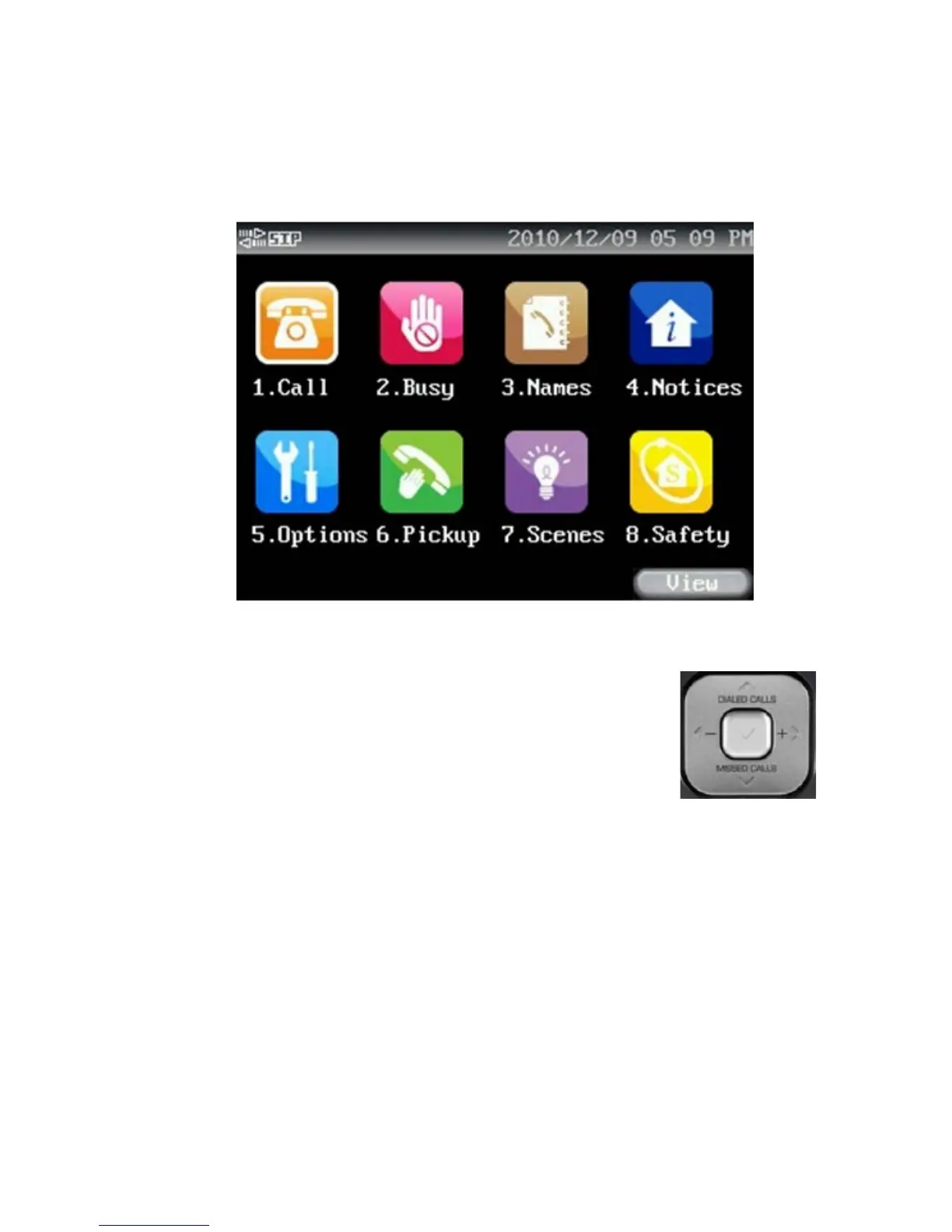
MAIN MENU
Select MAIN MEUN:
1. Use Navigation Key Pad as shown right side, and [<][ >][∧][ ∨]
keys to locate preferred item, then press Enter key [] to select it for
further actions.
2. Press the numeric keypad (1, 2, 3 … 8) directly as Speed (Shortcut) key
to enter each main feature.
NOTE:For VP115 GUI and WEB UI, please use alphabet and numbers to enter data and don't use
special symbols to avoid lossing data while saving setting.
13


 To Next Page