Getting Started
7
THE ICONS
Each icon gives you a visual message of what is happening on your handset.
Battery level
Call in progress
Voicemail indicator
Caller ID indicator
Key lock
Microphone Mute
Phonebook
Signal strength
Ringer off
Left/Right arrows
Up/Down arrows
THE MENUS
Your phone offers a variety of features and functions grouped in the menus.
Browsing the menus
The main menu includes the Phonebook, Display, Sound, Settings, and System menus.
Press to enter the main menu.
Press to enter the incoming call log.
Press to enter the phonebook.
Press to enter the redial log
.
Taking a glance at the menus
PHONEBOOK
SETTINGS
Add Record
Edit Record
Delete
Delete All
Auto Answer
Dial Mode
Recall
Register
Select Base
Delete HS
Change PIN
Low RF Power
Reset
TIP:
Quick Exit. Press and hold to exit from any menu instantly. All
unconfirmed changes will not be saved.
TIP:
Use or to navigate the menus.
8
Getting Started
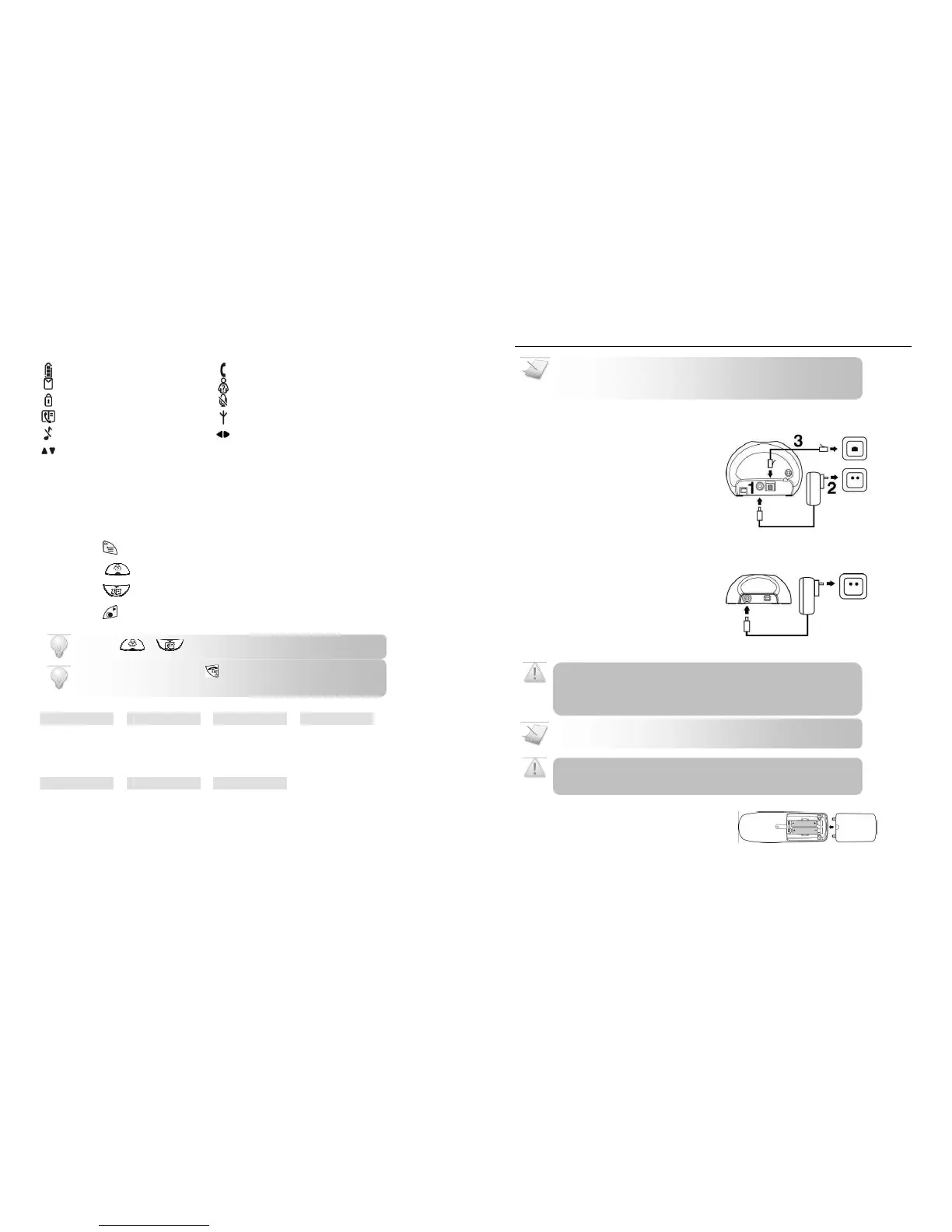
CONNECTING YOUR PHONE
1.
Connect the output plug of the mains
adapter to the bottom of the base unit.
2.
Connect the mains adapter to a
standard wall outlet.
3.
Connect the telephone line cord to the
phone socket at the bottom of the
base unit and the wall phone socket.
CONNECTING YOUR CHARGER
* For multi-pack customer only
1.
Connect the power adapter of the
charger to a standard wall outlet.
1.
Place the 2 rechargeable batteries
(included) into the battery compartment.
2.
Slide the battery door firmly into place.
Check the batteries polarity when inserting the batteries. Incorrect
polarity may damage the product.
RISK OF EXPLOSION IF BATTERY IS REPLACED BY AN INCORRECT TYPE. Never
use non-rechargeable batteries. Use recommended type supplied with this
product. NiMH batteries must be disposed of in accordance with the applicable
waste disposal regulations.
Charge the handset(s) for 14 hours before initial use
of new rechargeable batteries.
Your phone is designed with a low
mechanism; therefore the antenna switches off automatically in standby mode
and will not emit any radiation. To turn on this feature, see page 23.


 To Next Page
 Loading...