- 16 -
failure controllerarewellconnected.
5. Settings
6.1SettingsMenu
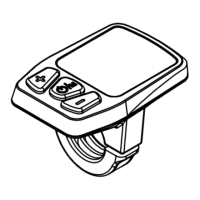
Inthemainmenuandthespeedis0,press“+” and“‐”to
enter into regular setting menu. Press “+” shortly to
switchbetween Backlight brightnesssetting‐Speed limit
setting‐Wheelsizesetting‐Unitsetting.
Inthe regularsettingmenu, press“+” and“‐” (>2s)togo
intopasswordinterface.Enterpassword(6262bydefault)
and go into hidden setting 1. Press “+” shortly to switch
between Battery information‐Software version‐
Photosensitivethresholdsetting.
Whenenterthepassword,press“+”shortlytochangethe
number, press “‐” shortly to change digit, press Power
buttontoconfirmthepassword.



 To Next Page