EasyManua.ls Logo

Ananda D10 - User Manual

Default Icon
26 pages
Print Icon
To Next Page IconTo Next Page
Loading...
Model D10
Version
Date 20181019
USERS GUIDE
AND D10
Question and Answer IconNeed help?

Do you have a question about the Ananda D10 and is the answer not in the manual?

Summary

Forward and Product Introduction

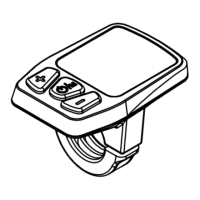
Appearance and Outline Details

Describes the physical structure, materials, and dimensions of the AND D10 display.

Functionalities Overview

User Interface and Basic Operations

Device Switching and Power Management

Instructions for turning the display on and off, and automatic shutdown.

Speed, Distance, and Time Display Modes

Explains different display modes for speed, ODO, TRIP distance, and trip time.

Light Control Options

Details manual and automatic control of the display's backlight and front light.

6 km;h Walk Assistance Feature

How to activate and use the 6km/h walk assistant mode.

Support Level Selection

Guidance on choosing between 5 different support levels.

Battery Status Indication

Understanding the battery capacity indicators on the display.

Automatic Backlight Adjustment Function

How the display automatically adjusts brightness based on ambient light.

Error Code Reference

List of error codes, their meanings, and troubleshooting steps.

System Settings and Customization

Accessing and Navigating Settings

How to enter and move through the settings menus, including password entry.

Adjusting Backlight Brightness

Setting the display's backlight intensity to one of three levels.

Configuring Speed Limits

Setting the maximum speed for the e-bike, with default value.

Setting Wheel Size

Selecting the correct wheel size for accurate speed and distance measurements.

Choosing Unit of Measurement

Switching between metric (Km/h) and imperial (MPH) units.

Viewing Battery Information

Accessing detailed battery data such as voltage and capacity.

Displaying Software Version

Information on how to check the current software version.

Setting Photosensitive Threshold

Adjusting the sensitivity for automatic light activation.

Saving and Exiting Settings

Methods to save changes and return to the main menu.

Connection Terminal and Pin Definitions

Summary

Forward and Product Introduction

Appearance and Outline Details

Describes the physical structure, materials, and dimensions of the AND D10 display.

Functionalities Overview

User Interface and Basic Operations

Device Switching and Power Management

Instructions for turning the display on and off, and automatic shutdown.

Speed, Distance, and Time Display Modes

Explains different display modes for speed, ODO, TRIP distance, and trip time.

Light Control Options

Details manual and automatic control of the display's backlight and front light.

6 km;h Walk Assistance Feature

How to activate and use the 6km/h walk assistant mode.

Support Level Selection

Guidance on choosing between 5 different support levels.

Battery Status Indication

Understanding the battery capacity indicators on the display.

Automatic Backlight Adjustment Function

How the display automatically adjusts brightness based on ambient light.

Error Code Reference

List of error codes, their meanings, and troubleshooting steps.

System Settings and Customization

Accessing and Navigating Settings

How to enter and move through the settings menus, including password entry.

Adjusting Backlight Brightness

Setting the display's backlight intensity to one of three levels.

Configuring Speed Limits

Setting the maximum speed for the e-bike, with default value.

Setting Wheel Size

Selecting the correct wheel size for accurate speed and distance measurements.

Choosing Unit of Measurement

Switching between metric (Km/h) and imperial (MPH) units.

Viewing Battery Information

Accessing detailed battery data such as voltage and capacity.

Displaying Software Version

Information on how to check the current software version.

Setting Photosensitive Threshold

Adjusting the sensitivity for automatic light activation.

Saving and Exiting Settings

Methods to save changes and return to the main menu.

Connection Terminal and Pin Definitions

Ananda D10 Specifications

General IconGeneral
BrandAnanda
ModelD10
CategoryBicycle Accessories
LanguageEnglish

Related product manuals