immediately. interface. After entering the correct password every time, the
power is turned on, the next time you enter the password input interface, the
meter will display the password that was correctly entered last time. Unless
the password entered last time is incorrect or the power is turned off, you need
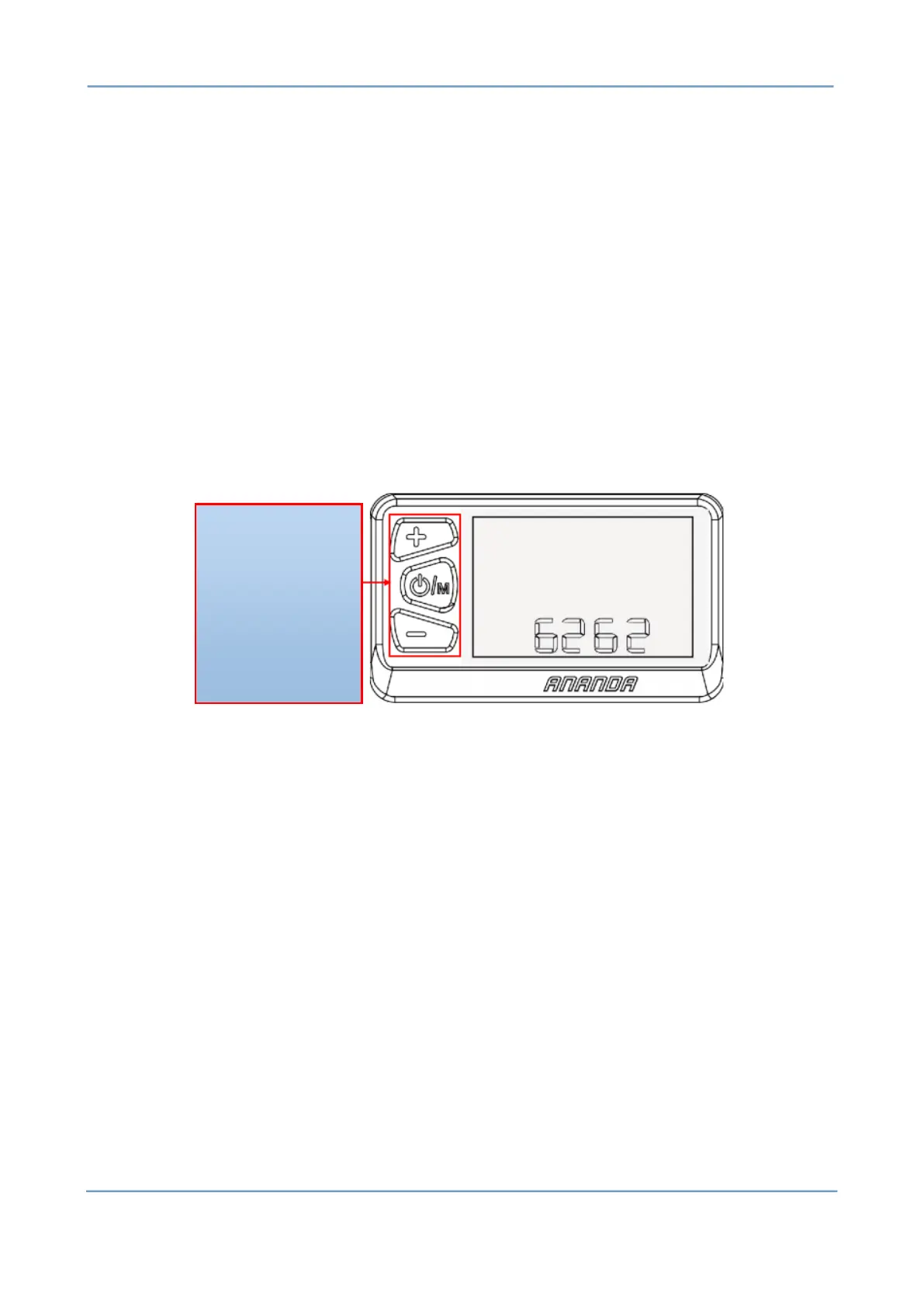
to re-enter the correct password. The password input interface is shown in Pic
7-1 below:
Pic 7-1
After the password is entered correctly, it will enter the menu
selection interface. Short press the key to select the following items
in order: maximum gear setting -> wheel diameter setting -> km, mile unit
switching -> speed limit function adjustment -> current program Version
number ->... ...->Maximum gear setting.
2. Set Max Pas
The maximum pas (5th or 9th gear) corresponding to the vehicle is
selected by the down button. Short press the key for 0.5 seconds, save and


 To Next Page