Query the fault code. press ente
r+
up, the
cu
rsor to the left; press
enter+
down, the cursor to the right.
• FOf manufacturer spec.fie codes
you'N
need
to
select
a YehlCle make on
an
additJOnal
screen to
loo!<
fOf
OTC definitions
• If definition could
not
be
found (SAE
Of
Manufacturer Specific
}.
the scan tool displays "OTC
delln1t10n
not
found! Please refer
to
Yehlcie service"manual !"
4)
To
exit to the Main Menu. press the EXIT button.
3.5 Review
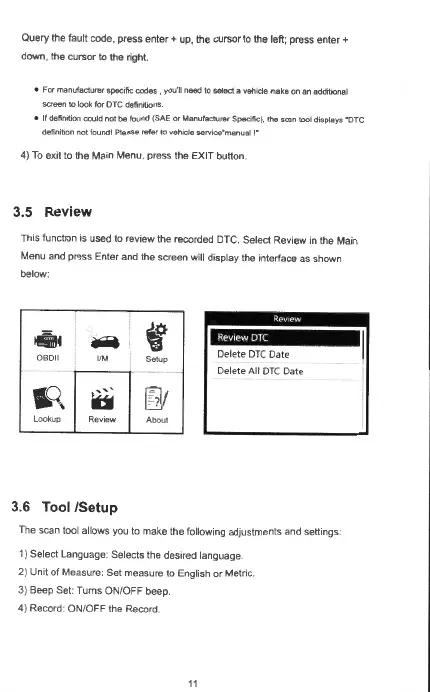
This function is used to review the recorded DTC. Select Review
in
the Main
Menu and press Enter and the screen will display the interface as shown
below:
""
l!ii'ill
.....
0B011
1/M
1,
q
>'""'
ti
Lookup
ReY1ew
3.6 Tool /Setup
f
Setup
-
u)I
Aboul
l;M•H
Delete
OTC
Date
Delete
AU
OTC
Date
The scan tool allows you to make the following adjustments and settings·
1) Select Language: Selects the desired language.
2) Unit of Measure: Set measure to English or Metric.
3) Beep Set: Turns ON/OFF beep.
4) Record: ON/OFF the Record.



 To Next Page