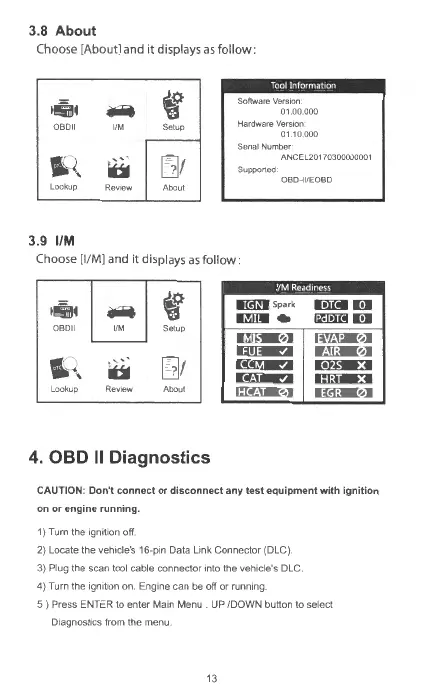
3.8 About
Choose [About] and it displays as
follow
:
-4
f
SoftwareVersK>n
..i.
01.00000
OBD
II
1/
M Setup
Hardware VerslOfl
01
10000
Senal Number
1,
q
t
......
[]1
ANCEL20170300000001
b
Suppor1ed
OBD
-
11/EOBO
Lookup Review
About
3.9
1/M
Choose
[1/
M] and it displays as
follow
:
VM
Readiness
1
1!iiJ4
..i.
f
0
8011
1/M
Setup
~
I,
'-<
,
t""''
b
[]1
Lookup Review
Aboul
4.
OBD
II
Diagnostics
lll({gg
Spark
DilJI.
im:a,,]I
Ef:a<,]1
~
Cliia3
m:.a.,,11
CAUTION:
Don't
connect
or
disconnect
any
test
equipment
with
ignition
on
or
engine
running
.
1) Turn the
1grnt1on
off.
2) Locate the vehicle's 16-pin Data Lmk Connector (DLC).
3) Plug the scan tool cable connect
or
mto the vehicle's DLC.
4) Turn the ignition on. Engme can be off
or
runrnng
5 ) Press ENTER to ent
er
Main Menu UP /DOWN button to select
Diagnostics from the menu
13



 To Next Page