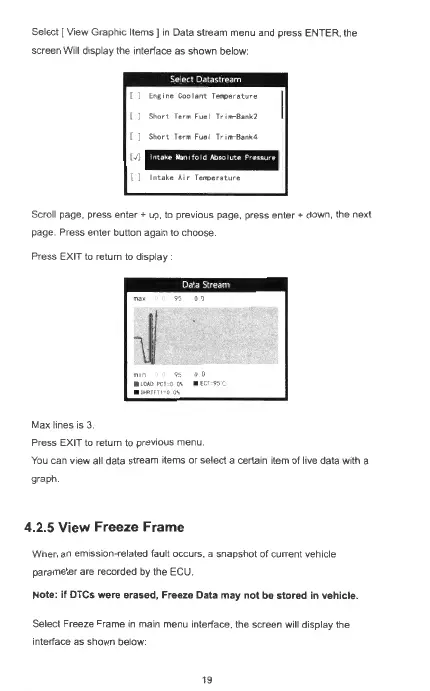
Select [ View Graphic Items J
in
Da
ta stream menu and press EN
TE
R. the
screen Will display the interface as shown below:
[ )
Ena,ne
Coolant
Temperature
[ )
Short
Term Fuel
Jr,..,
-
Bank.2
[ )
Short
Term
Fuel Tru•-Bank.4
(J]
lntoke
ltam
,foldAbsolvte
P
ressu
re
{)
Intake
Air
lel!'()erature
Scroll page, press
enter+
up, to previous page, press ente
r+
down, the next
page. Press enter button again
to
choose.
Press
EXIT
to return to display :
Max Imes is
3.
Press
EXIT
to return to previous menu.
You
can view all data stream items or select a certain item of live data with a
graph
4.2.5 View Freeze
Frame
Wnen
an
emission-related faul t occurs, a snapshot of current vehicle
parameter are recorded by the
ECU.
Note: if DTCs
wer
e eras
ed
, Freeze Data
may
not be s
tor
ed in veh
ic
le.
Select Freeze Frame
in
mam menu inte
rf
ace, the screen will display the
interface as shown below:



 To Next Page