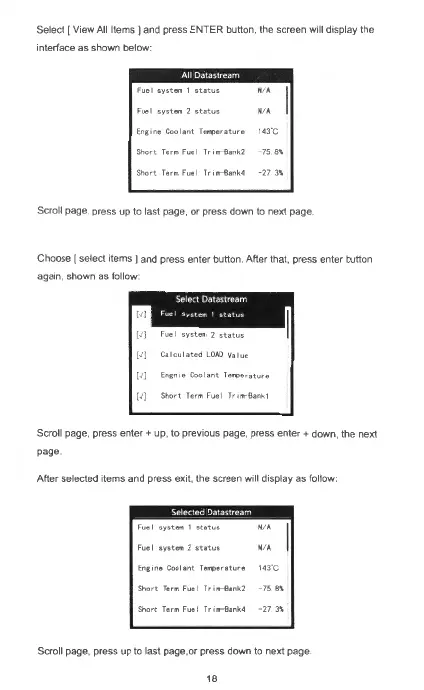
Select I View All
Items]
and press ENTER button, the screen will display the
interface as shown below:
AIIDatastream
Fuel
system\
status
NA
Fuel
system2status
NA
Eng
me
Cool a
nt
Temperature
143
C
Short
Term Fuel Tr,m-Bank2
-7
5
8\
Short
Term
Fuel
Trom
- Bank4 - 27
3\
Scroll page. press up to last page, or press down to next page.
Choose [ select items ) and press enter button After that, press enter button
again, shown as follow·
[J]
F
uel
svst-2status
[J]
Calculated
LOAD
Value
[J)
Engn1e
Coolant
feff'4)erature
[J]
Short
Term Fuel Trom-Bank1
Scroll page, press
enter+
up, to previous page, press
enter+
down, the next
page.
After selected items and press exit. the screen will display as follow:
Fuel
system
1
st
a
tus
N. A
Fuel
system
2
status
N A
Eng,m,
Coolan
t
r.....,.,rature
143
"C
Short
Te,.,
Fue l
r,.,,r8ank2
-7
5
8\
Short
T
er.,Fuel
Tr1nt-Bank4
273\
Scrolt page, press up to last page.or press down to next page
18



 To Next Page