4.2.3
1/M
Readiness
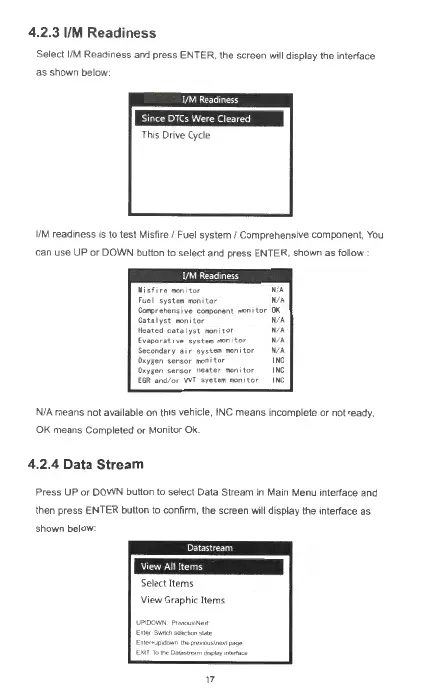
Select 1/M Readiness and press E
NTER
, the screen wi
ll
display the interface
as
shown below
IM•HWM3M
This Dn
ve
Cy
cle
1/M readiness is to test Mi sfire I Fuel system / Comprehensive component, You
can use
UP
or
DOWN
button to select and press
ENTER
, shown as follow :
M
,sfiremon,tor
NA
Fue(
system
1110n1tor
N A
~rehens1ve
component
monitor
OK
Catalyst1110n,tor
N A
Heated
catalyst
111C>n1tor
N A
Evaporative
syste,n
mon,tor
N A
Secondary
aor
system
1ROn1tor
NA
O•ygen
sensor
mon, t
or
INC
O•ygen
senso,
heater
monitor
INC
EGA
and
or
WT
syetem
monitor
INC
NIA
me
an
s not
av
ailable on this vehicle, INC
means
incomplete
or
not ready,
OK means Completed
or
Monitor
Ok
.
4.2.4 Data Stream
Press UP
or
DOWN
button
to
select Data Stream
in
Main Menu interface and
then press
ENTER
button
to
confirm, the screen will display the interface as
shown below:
IM-iil@
..
t
Select Items
View Graphic Items
UP\()()V,.'N
~-.-,
Ent"'Sw'ICll5MICtlanst,,te
En..,.•up<lown1N>p,e..ous1neo1-
l.Xl!
Tolh!l)at;r.;fJ911m~onlel1aoe
17



 To Next Page