10
STEP 6 – OPENING THE BACK DISPLAY DOOR AND SEAT
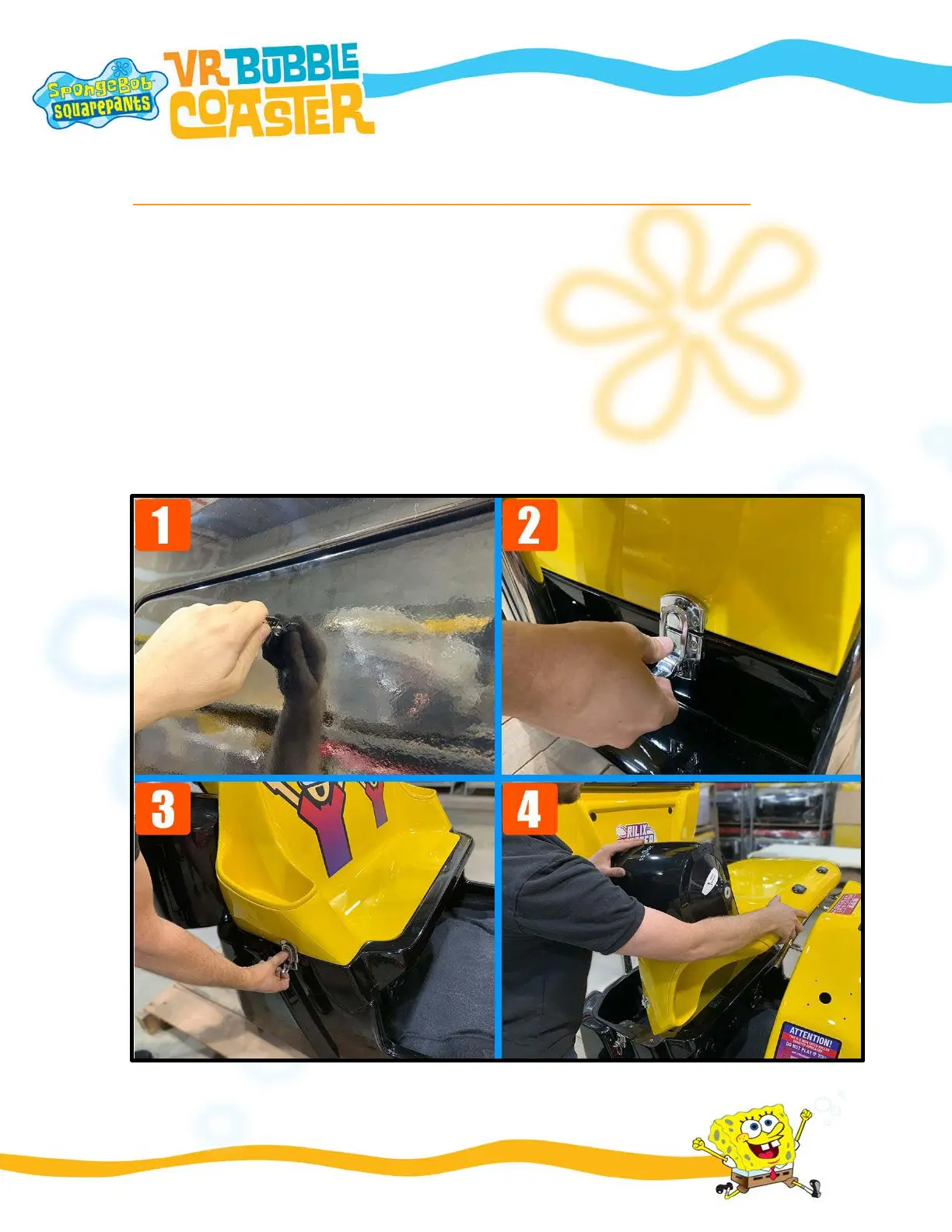
FIGURE 1 – The back display has two rear access doors for electronic components. Use the
key that comes with the product and open the top door.
FIGURE 2 and 3 – The simulator seat has four locking tabs. Open the four clips. Two are
located on the back of the seat, and two on the sides.
FIGURE 4 – Move the seat from the back to the front by moving the back first, as shown in
the picture.


 To Next Page