8
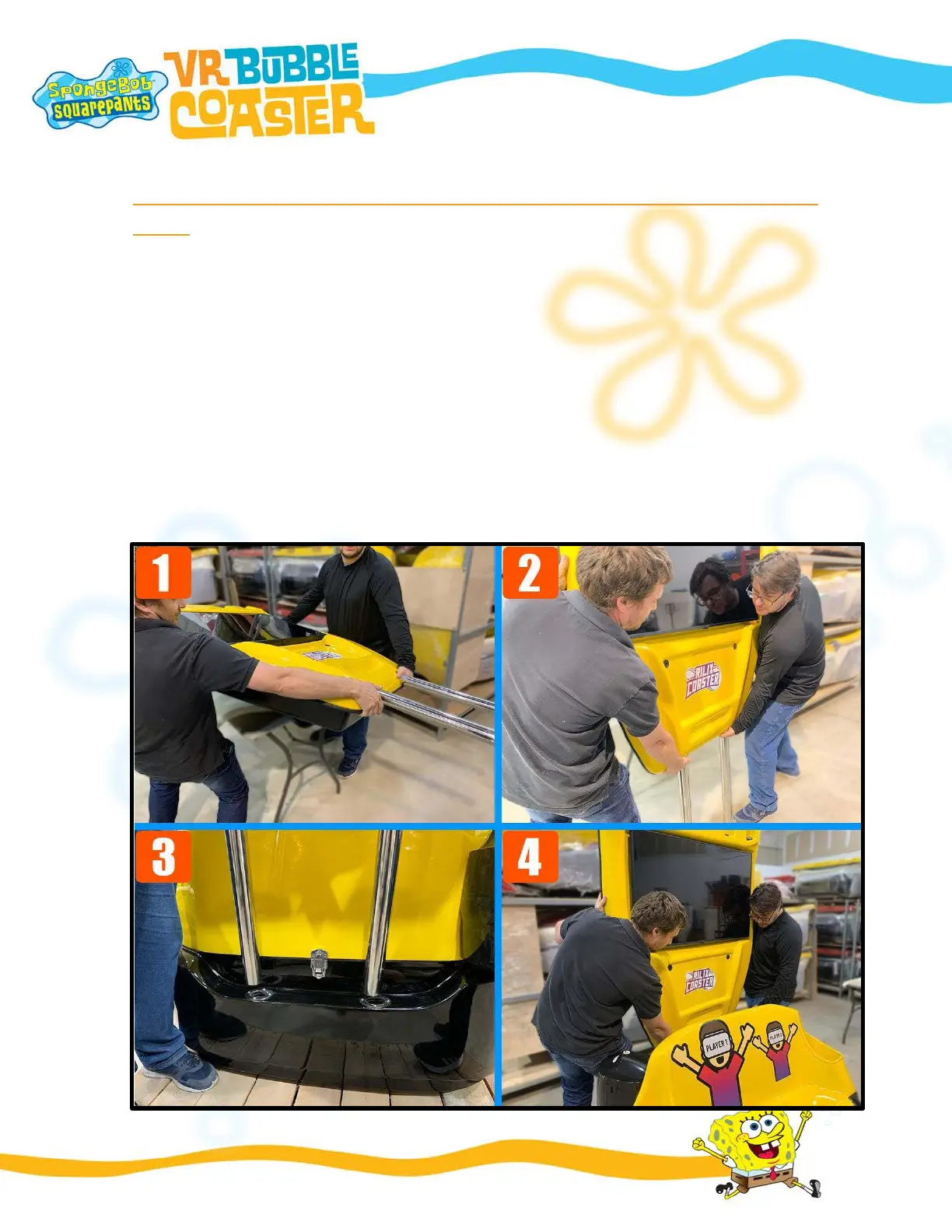
STEP 5 – INSTALLING THE BACK DISPLAY ON THE SIMULATOR
BASE
FIGURE 1 - After installing the support pipes, two people are needed to lift the back
display to a vertical position.
FIGURE 2 - In a vertical position, place the back display in front of the rear of the simulator
FIGURE 3 - The back of the simulator has two holes where the pipes need to be placed. Lift
the back display and fit the two support pipes into these holes.
FIGURE 4 - Align the two support pipes and make sure they reach the bottom of the base.


 To Next Page