11
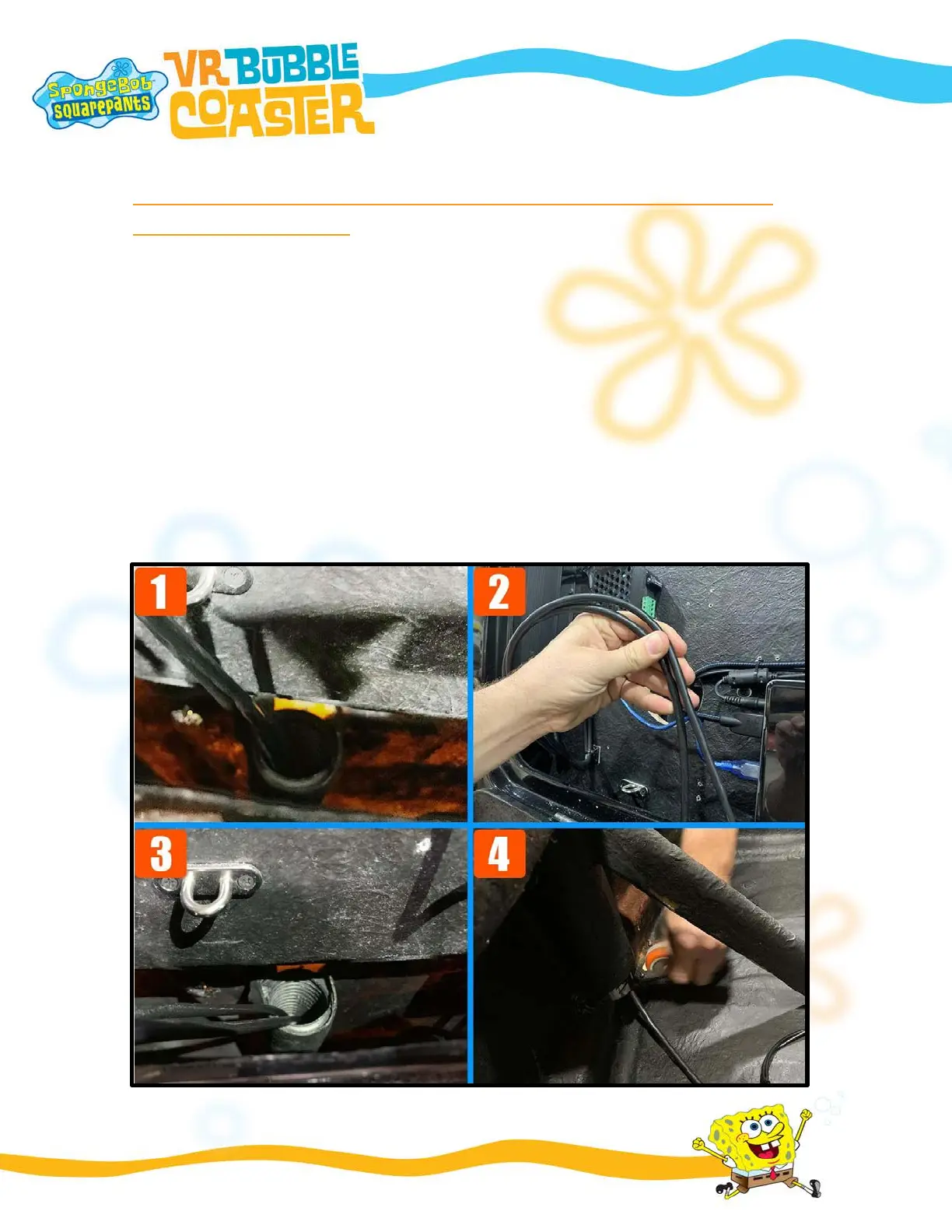
STEP 7 – INSERTING THE CABLE THROUGH THE INTERNAL
BACK DISPLAY PIPE
FIGURE 1 – The inner part of the back display has two holes. And four cables will make the
communication between the back display and the base of the simulator.
FIGURE 2 - Insert the wind cable through the pipe hole on the left side, inside the back
display.
FIGURE 3 – The cable must pass through the entire length of the pipe and reach the base
of the simulator.
FIGURE 4 – When the cable touches the simulator's base, pull until a good cable length
comes out of the pipe.


 To Next Page