CODE SWITCH
1.CODE SWITCH: Codes are set by pushing dip switches up or down. It is imperative that the code
used for both transmitter and receiver is exactly the same; otherwise remote controller will not work.
Please note the code switch will enable you to operate a second remote controller independently. For
example, if you have two ceiling fans with 2 remote control units, set 2 different codes for each set of
transmitter/receivers. This means you can operate each ceiling fan independently.
2.Your remote control is ready for use after battery (AAA*2PCS)installation.
LIGHT FUNCTION SELECT SWITCH
If installed energy light onto ceiling fan, please set the “light function select switch” “light
function select switch” to on/off position,” CFL”. If installed tungsten light onto ceiling fan, please
set the “light function select switch” to dimmer position,” D”.
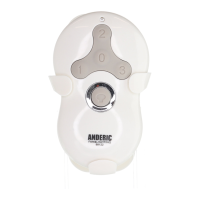
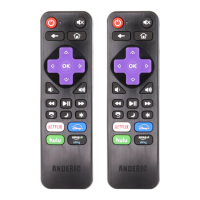
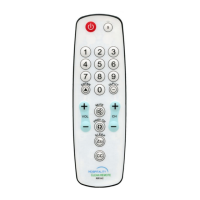
FUNCTIONS OF TRANSMITTER
: Turn on or off the light and fan will
turn on
: fan switches between 1and 4speeds
: ON/OFF- Press and release
immediately to turn on or off the light.
DIMMER- Press and hold on to dimmer or brighten the light. (For the tungsten bulb and
“light function select switch” is at D position.)
Installation of transmitter wall
mount holder with two screws.



 To Next Page