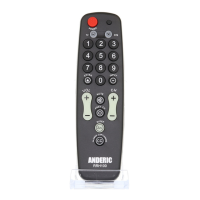
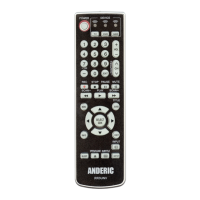
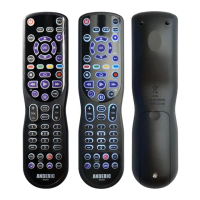
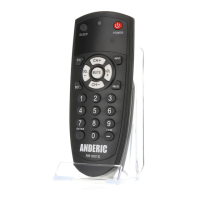
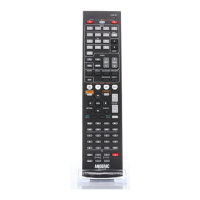
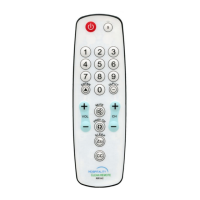
The Anderic Master Instruction Manual describes a Universal Hospitality remote control, applicable for models RRH100, RRH200, RRHC100, and RRHC200. This remote is designed for use in hospitality settings, offering a range of programming and control features for televisions and set-top boxes.
Function Description
The primary function of this remote is to provide universal control over televisions (TVs) and set-top boxes (STBs) within a hospitality environment. It is pre-programmed by default to control LG and VIZIO TVs under TV mode and DirecTV under STB mode. However, it offers extensive programming capabilities to control a wide array of other brands and devices, using either a direct code input method or a code search method.
The remote supports two main device modes: TV and STB. Users can switch between these modes to control the respective devices. Key functionalities include power on/off, volume control (VOL+ and VOL-), mute, channel navigation (CH+ and CH-), previous channel (PREV CH), input selection (INPUT), and sleep timer (SLEEP). It also includes a numeric keypad (0-9) for direct channel input and an ENTER button for confirmation. A "CLOSED CAPTION" button (CC) is also present for accessibility features.
Beyond basic control, the remote offers advanced programming options to customize its behavior. These include:
- Single Press Combined POWER Key: This feature allows a single press of the [POWER] button to power on/off both the TV and STB simultaneously. When disabled, the [POWER] key only controls the TV.
- STB (set-top-box) Punch-Through Function: When enabled, this feature assigns STB-related keys (0-9, Enter, Prev CH, CC, CH+, CH-) to always send codes programmed under STB mode, regardless of the remote's current mode. This is enabled by default.
- TV Punch-Through Function: Similar to the STB punch-through, this feature assigns TV-related keys (Power, VOL+, VOL-, Mute, Input, Sleep) to always send codes programmed under TV mode, regardless of the remote's current mode. This is also enabled by default.
- Individually Assign Key Punch-Through Lock: This advanced feature allows specific keys to be assigned to "punch-through" to a chosen mode (TV or STB), meaning that key will always send the code for its assigned mode, irrespective of the remote's current operating mode. This requires disabling the general TV, STB, and Combined Power punch-through functions first.
- Device Mode Lock: This function locks the programmed code for a device (TV or STB), preventing accidental re-programming. Once locked, the code cannot be changed until it is explicitly unlocked.
- Reset to Factory Default Status: This option allows users to revert the remote to its original factory settings, clearing all programmed codes and custom settings.
- Advanced Option: Shift remote to 1-Device; TV only remote: This feature transforms the remote from a 2-device (TV/STB) controller into a 1-device (TV only) controller, deactivating the STB mode and resetting to factory defaults for a 1-device setup.
- Advanced Option: Shift remote to 2-Device; TV/STB remote: This feature converts a 1-device remote back into a 2-device (TV/STB) controller, activating both modes and resetting to factory defaults for a 2-device setup.
Usage Features
The remote is designed for ease of use and adaptability in hospitality settings.
- Pre-programmed Convenience: For common brands like LG and VIZIO TVs, and DirecTV STBs, the remote works out of the box, minimizing setup time.
- Programming Flexibility: For other brands, the remote offers two distinct programming methods:
- Direct Code Input Method: Users can input a four-digit code corresponding to their device's brand from an attached code list. This method is quick if the correct code is known.
- Code Search Method (Manual or Auto): If the brand code is unknown or not listed, the remote can systematically search through its database. In manual search, users repeatedly press [CH+] or [CH-] to send POWER codes until the device turns off, then save the code. In auto search, the remote automatically sends POWER codes every two seconds until the device turns off.
- Code Display: A feature to display the currently programmed four-digit code for either TV or STB mode, useful for troubleshooting or record-keeping. This involves pressing [MUTE] and a number key (1-4) to display each digit through LED flashes.
- Indicator Light Feedback: The remote provides visual feedback through an indicator light during programming. It lights up and remains on during programming mode, blinks slowly three times for an error, or turns off for successful code saving.
- Ergonomic Design: While not explicitly detailed, the visual representation shows a standard remote layout with clearly labeled buttons, suggesting an intuitive user experience. The inclusion of a screw for the battery cover, though optional, indicates a design consideration for secure battery compartment closure, which can be beneficial in high-usage environments.
- Security Cable Attachment: An optional security cable (CBL01, sold separately) can be adhered under the battery cover, providing a secure and flush attachment point. This is a practical feature for hospitality settings to prevent theft or loss of the remote.
Maintenance Features
Maintenance aspects primarily revolve around battery replacement and remote reset capabilities.
- Battery Requirement: The remote requires two AAA size batteries, which are not included. The manual does not specify battery life but implies standard AAA battery replacement as needed.
- Battery Cover Security: The optional screw for the battery cover helps secure the batteries, preventing them from falling out or being easily removed, which is a common issue in hospitality.
- Factory Reset: The "Reset to Factory Default Status" feature is a crucial maintenance tool. It allows administrators to quickly clear all custom programming and return the remote to its original state, which is useful for preparing rooms for new guests or resolving complex programming issues.
- Mode Shift Options: The ability to shift between 1-device (TV only) and 2-device (TV/STB) modes, coupled with a factory reset, provides flexibility for adapting the remote to different room configurations or device setups without needing a new remote. This simplifies inventory management and maintenance.
- Troubleshooting Guidance: The manual provides clear steps for troubleshooting during programming, such as checking if most keys control the device and restarting the process with a different code if necessary. This self-help guidance reduces the need for external support.

 Need help?
 General

 To Next Page