Need help?
Do you have a question about the Anderic RC-FA5 and is the answer not in the manual?
Install two AAA batteries into the remote, matching polarity, and replace the battery cover.
Indicator light flashes; press and hold Pairing button for 5 seconds if it does not flash.
Power off Roku, enter pairing mode, then restore power to the Roku device to initiate pairing.
Navigate through Settings > System > Software update to check for and initiate updates.
Use an existing remote or Roku app to navigate to Add devices > Remote to pair the new remote.
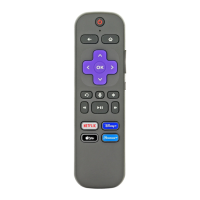
Press and hold the voice (microphone icon) button to speak commands.
Power and Volume keys (Vol+/Vol-, Mute) operate your TV directly.
The RCFA5 lacks lost remote finder, headphone listening, or programmable shortcut keys.
This document describes the RC-FA5 Voice Remote Control, an operating manual for a Roku remote designed to work with a wide range of Roku devices, including Streaming Sticks, Streaming Players, Roku-enabled TVs, and Roku sound bars. It's a versatile replacement for numerous older Roku remotes, such as the RC-AL2, RC-AL7, RC-EL1, RC-EL2, RC-FA1, RC-GZ1, RC-A1R, RC-ALIR, RC-FA5, and RC-81, though the specific App Shortcut keys may vary between models.
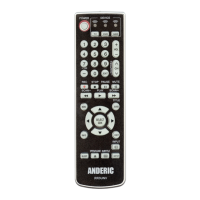
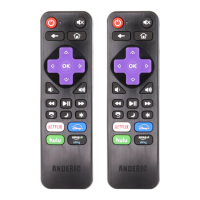
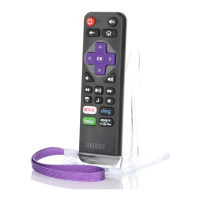
The RC-FA5 is a voice-enabled remote control for Roku devices. Its primary function is to navigate the Roku interface, control media playback, adjust TV volume and power, and execute voice commands. The remote features standard navigation buttons (up, down, left, right, OK), media control buttons (back, home, rewind, play/pause, fast forward), and dedicated shortcut keys for popular streaming services like Netflix, Disney+, tv+, and Paramount+. The voice control feature allows users to issue commands by pressing and holding the microphone button and speaking.
The RC-FA5 remote offers several features to enhance the user experience:
 General
| Brand | Anderic |
|---|---|
| Model | RC-FA5 |
| Category | Remote Control |
| Language | English |

 To Next Page