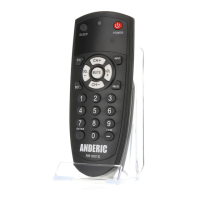
Individually Assign Punch-through Unlock
1. Press and hold [S] and [ENTER] keys simultaneously for about three seconds until indicator light
lights and remains on, release both keys.
2. Input the three digits [9] [0] [0],
3. Press the button you want to unlock the punch-through, the LED will blink one time & turn off.
Device Mode Lock
About: This is used to lock the code for the device so they cannot be re-programmed. After device is
locked, the current code cannot be changed, and any other operation is invalid unless you repeat steps 1-
3 to unlock first.
1. Press and release the device mode key you would like to lock code for ([TV] or [STB]).
2. Press and hold [S] and [ENTER] keys simultaneously for about three seconds until indicator light
lights and remains on, release both keys.
3. Input code [9] [9] [9] [9],
a. Locked - If LED turns off directly after 4 digits input, it indicates mode successfully locked.
b. Unlocked - If LED blinks 2 times and turns off after 4 digits input, it indicates mode
successfully unlocked.
Reset to Factory Default Status
1. Press and hold [S] and [ENTER] keys simultaneously for about three seconds until indicator light
lights and remains on, release both keys.
2. Input code [9] [7] [6] [0]. Indicator light will turn off, indicating that the remote has been reset to
factory default status.
Advanced Option: Shift remote to 1-Device; TV only remote.
Note: This feature allows remote to switch from a 2-Device remote to a 1-Device; TV only remote. STB
mode will be deactivated. Remote will be reset to factory defaults for 1-Device.
1. Press and hold [S] and [ENTER] keys simultaneously for about three seconds until indicator light
lights and remains on, release both keys.
2. Input code [9] [7] [6] [1]. Indicator light will blink 3 times, indicating that the remote has successfully



 To Next Page