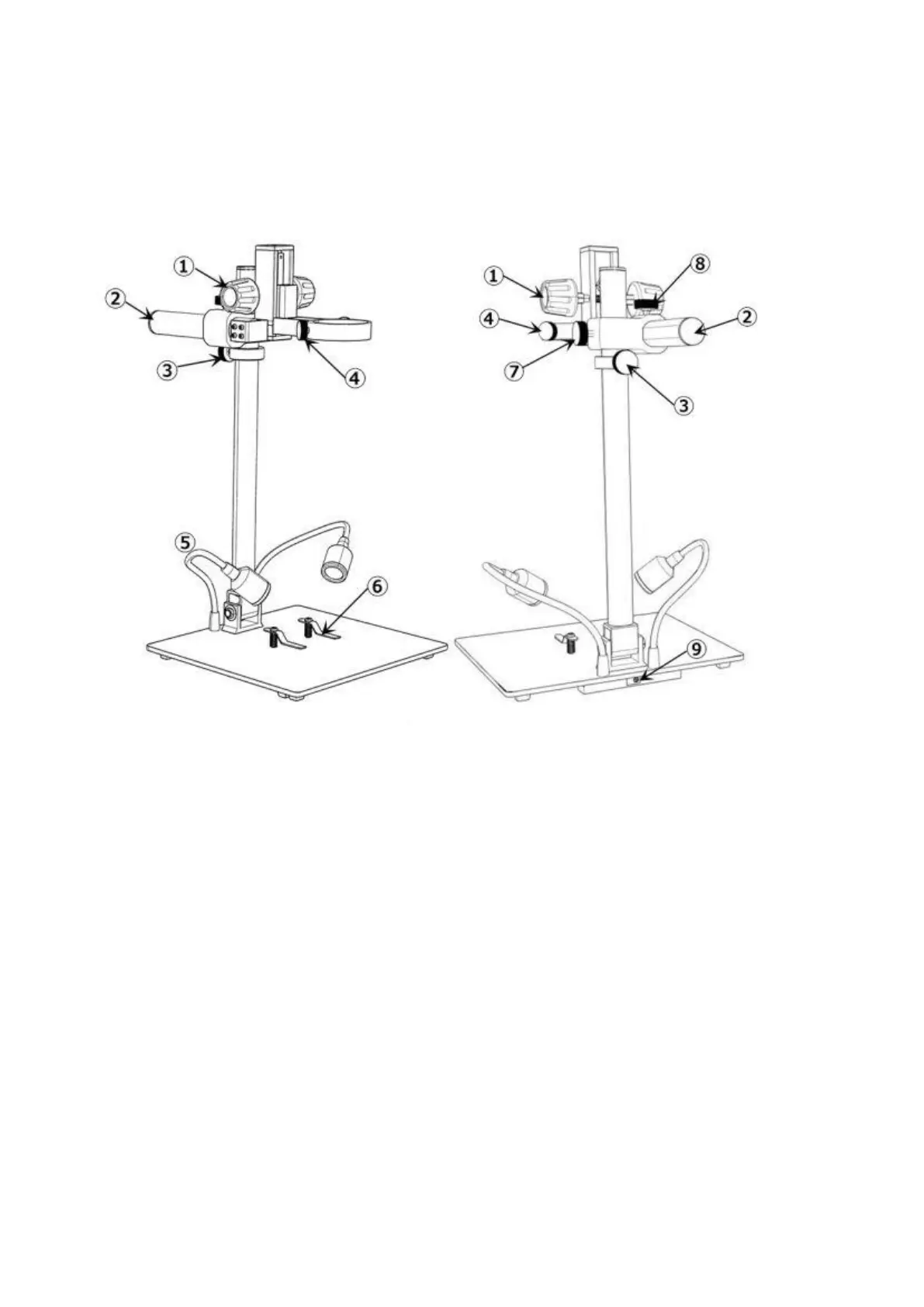
Bracket instructions
(P3 Bracket instructions)
①Secondary Bracket Lift
②Boom Arm
③Lower Limit Stop
④Monitor Fixing Screws
⑤Spot Lights
⑥Clips
⑦Boom Arm V-locker(lock the arm in vertical
direction)
⑧ Boom Arm H-locker(lock the arm in
horizontal direction)
⑧Spot Lights Interface
Quick Start
1. Connect the device to power supply as followed pic 4 to power on the microscope.
2. Press and hold the Power button (pic 2 # ① ) until the monitor lights up. (device may switch on
automatically when you power it on, and its totally normal)
*Trouble shooting



 To Next Page