②press the "M"button to switch to the photo mode, and then long press the "M" button to enter the picture
menu of photo mode
:
(P7: Picture menu)
Gridline Setting
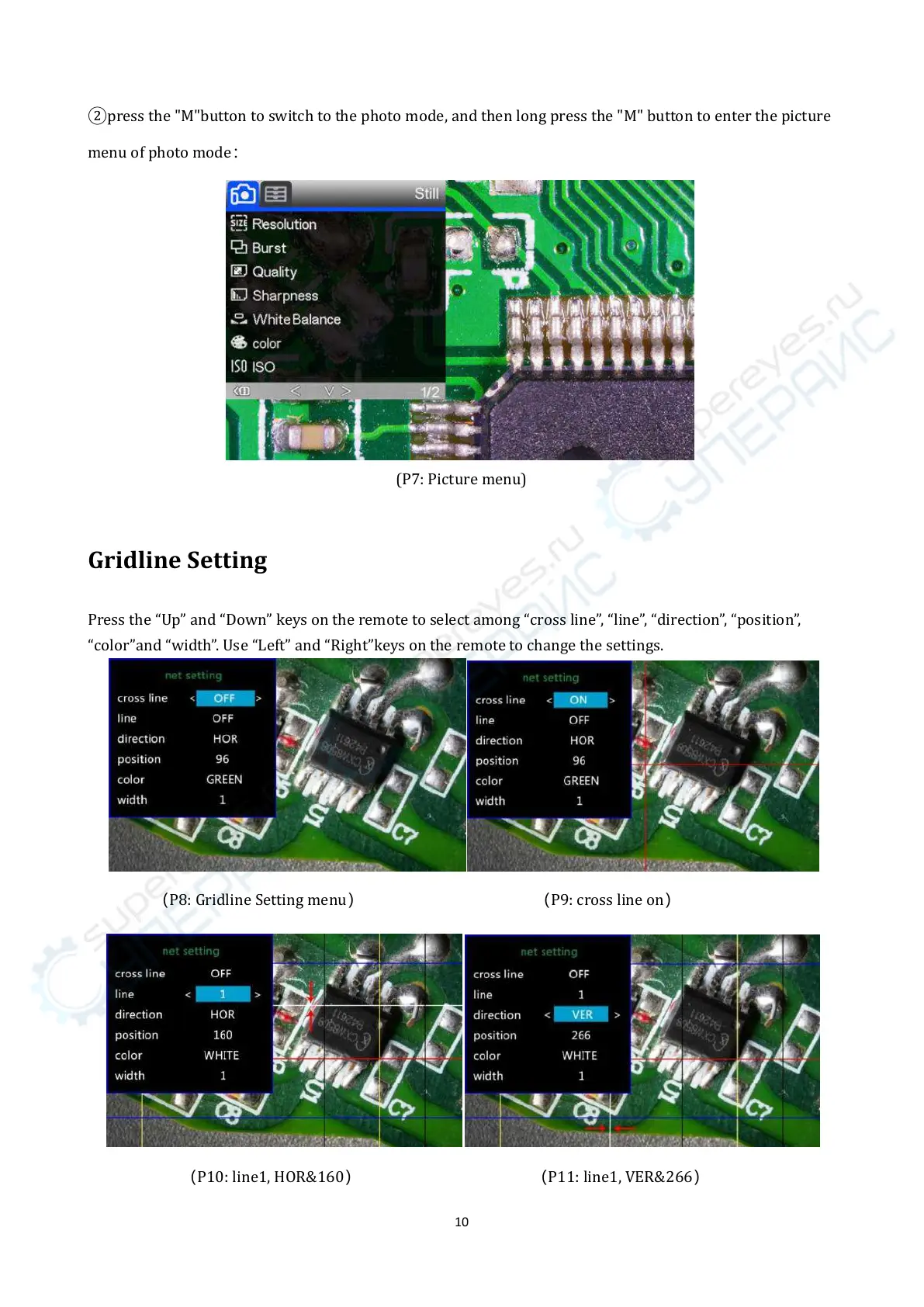
Press the “Up” and “Down” keys on the remote to select among “cross line”, “line”, “direction”, “position”,
“color”and “width”. Use “Left” and “Right”keys on the remote to change the settings.
(
P8: Gridline Setting menu
) (
P9: cross line on
)
(
P10: line1, HOR&160
) (
P11: line1, VER&266
)



 To Next Page