③WIFI Output (Test function)
*This function is currently a test function, please download and use the following App-Ucam
Dashcam
· Scan the QR code to download the software:
IOS system
· Other ways to install:
*IOS : APP STORE- Search and download ”Ucam Dashcam”
*Android: Google Play STORE- Search and download ”Ucam Dashcam”
Connection steps:
• First, please make sure that there is a memory card inserted in the microscope, otherwise the WIFI
function will not work normally.
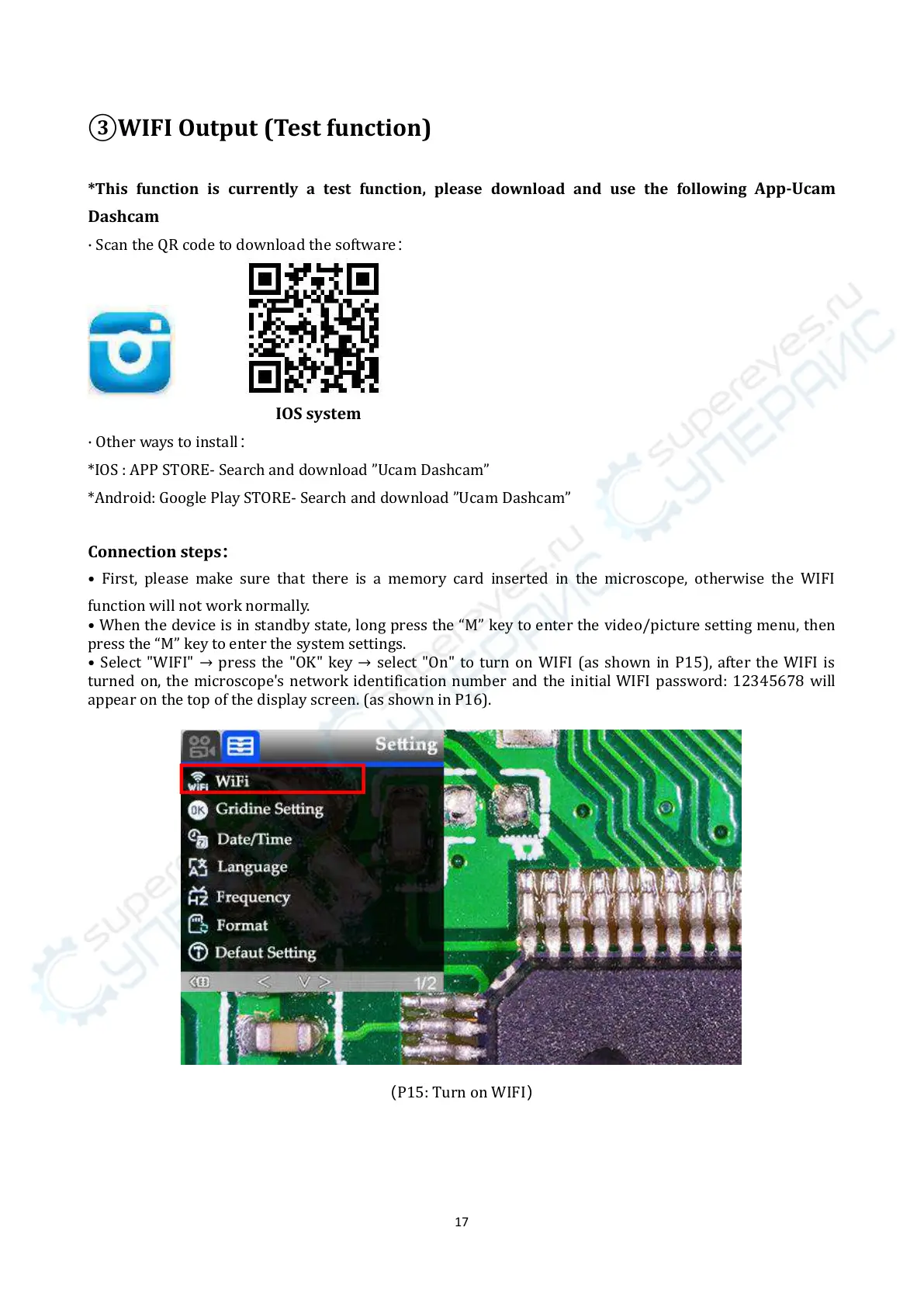
• When the device is in standby state, long press the “M” key to enter the video/picture setting menu, then
press the “M” key to enter the system settings.
• Select "WIFI" → press the "OK" key → select "On" to turn on WIFI (as shown in P15), after the WIFI is
turned on, the microscope's network identification number and the initial WIFI password: 12345678 will
appear on the top of the display screen. (as shown in P16).
(P15: Turn on WIFI)



 To Next Page