2) Measuring
1, Choose the tool you need to do measuring in the toolbar.
2, Click dots or draw lines that you need to measure in the main operating window.
3, Place the results of measuring in a proper place around the target.
3) Special Effect
·Includes: Edge detection, Inverse color, Flip horizontal, Relief, Sharpen and Smooth.
·Steps:
1, Choose the special effect you need in the toolbar.
2, In the main operating window, long press the Left to draw a rectangle which can covers the whole target
area, loose the Left, get the special effect result.
3, Click Left again, end the special effect.
PS: If you want to use “Flip horizontal”, draw a random rectangle in the view, and the whole view would be
flipped. Click Left again, end the special effect.
4) Capture and Recording
·Capture
1, Click “
” to capture.
2, The result of capture can be checked and deleted in the “Picture browser” window.
3, Check and change the save path: “File→Save Setting→Path”.
·Recording
1, Choose the size of the view as 640*480 in “File→Video Setting→Video Capture Pin→Output size(S)”
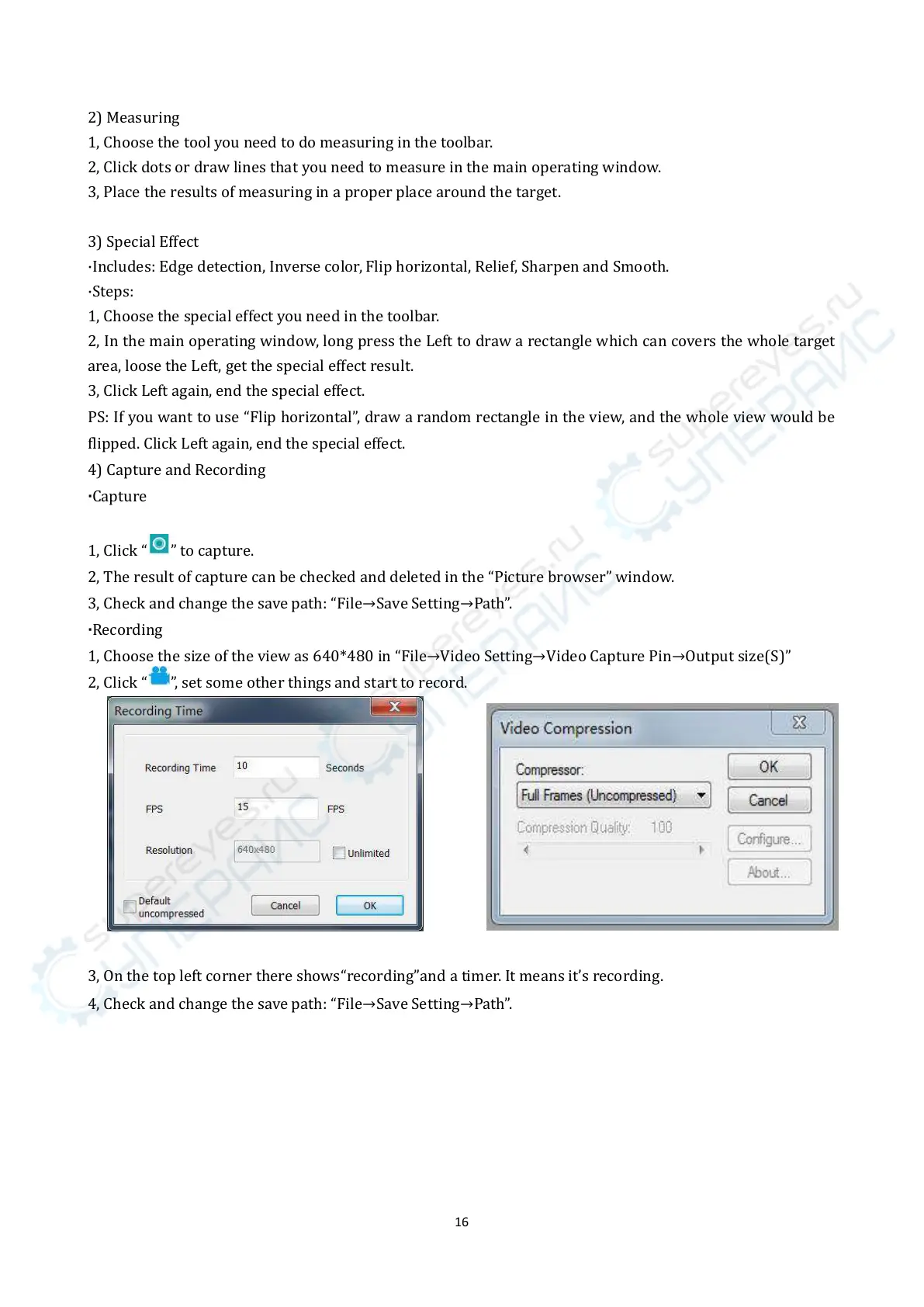
2, Click “
”, set some other things and start to record.
3, On the top left corner there shows“recording”and a timer. It means it’s recording.
4, Check and change the save path: “File→Save Setting→Path”.



 To Next Page