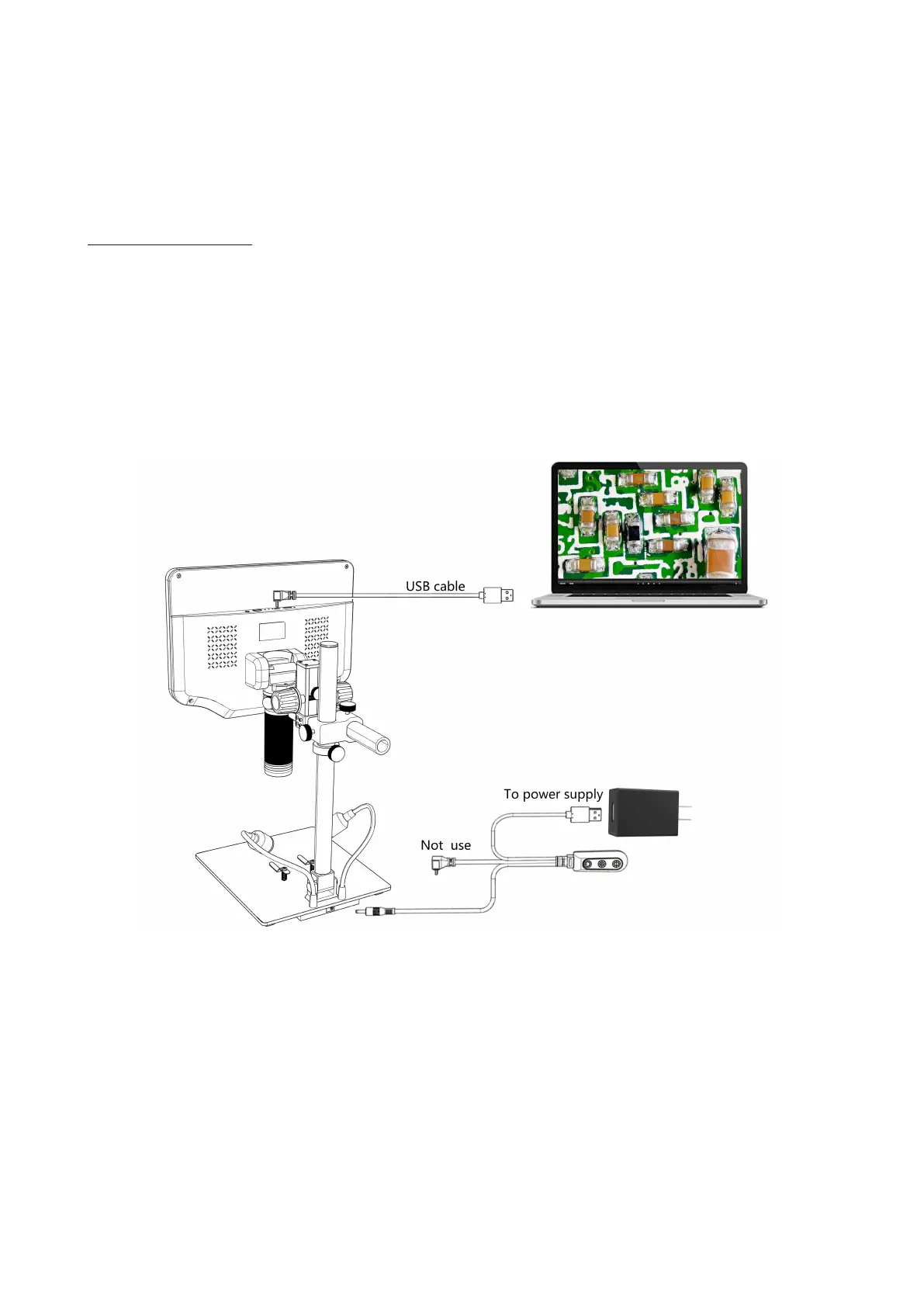
②USB Output
1. Software Installation
Where to download the software (Please type all letters properly capitalized):
https://bit.ly/3xCRDPL
*System support:
Windows XP SP3
、
Windows 7
、
Windows8
、
Windows10
*Runtime:
Microsoft.Net Framework 4.0,Microsoft Visual C++ 2010 Runtime
If either of two runtimes above mentioned is not completely installed, an error will be displayed during
installation.
2. Connect to Computer
(P15: USB output connection)
1) Objects required: PC (Windows system with the“Microscope Measure”software); USB microscope
(device name:“USB Camera”), Ruler.
2) Connect the microscope and computer with the USB cable (As shown in P15).
3) Press the “Down”button on the monitor or remote control to select "PC Camera" from the microscope
interface, and then press “OK”button.
4) Open the software“Microscope Measure”, Click “File”→ “Open”→ “Open Device”→ “USB MODE” → “USB
Camera”.



 To Next Page