To play a video, press the OK button to start play. Press the OK button again to pause. Press Mode
button to stop playing the current video.
Hit the Mode button again to exit playback mode.
While reviewing a still image or video, the Menu button can be used to provide additional options. Press
the Menu button and hold for a while till options show up.
Delete: Delete Current: deleting just the current image/video; Delete All:
deleting all unprotected images and videos;
Protect: Lock Current/All: provides protection for the current/all image/video from deleting accidentally,
but not from Format function; Unlock Current/All: unlock the current/all image/video.
Settings
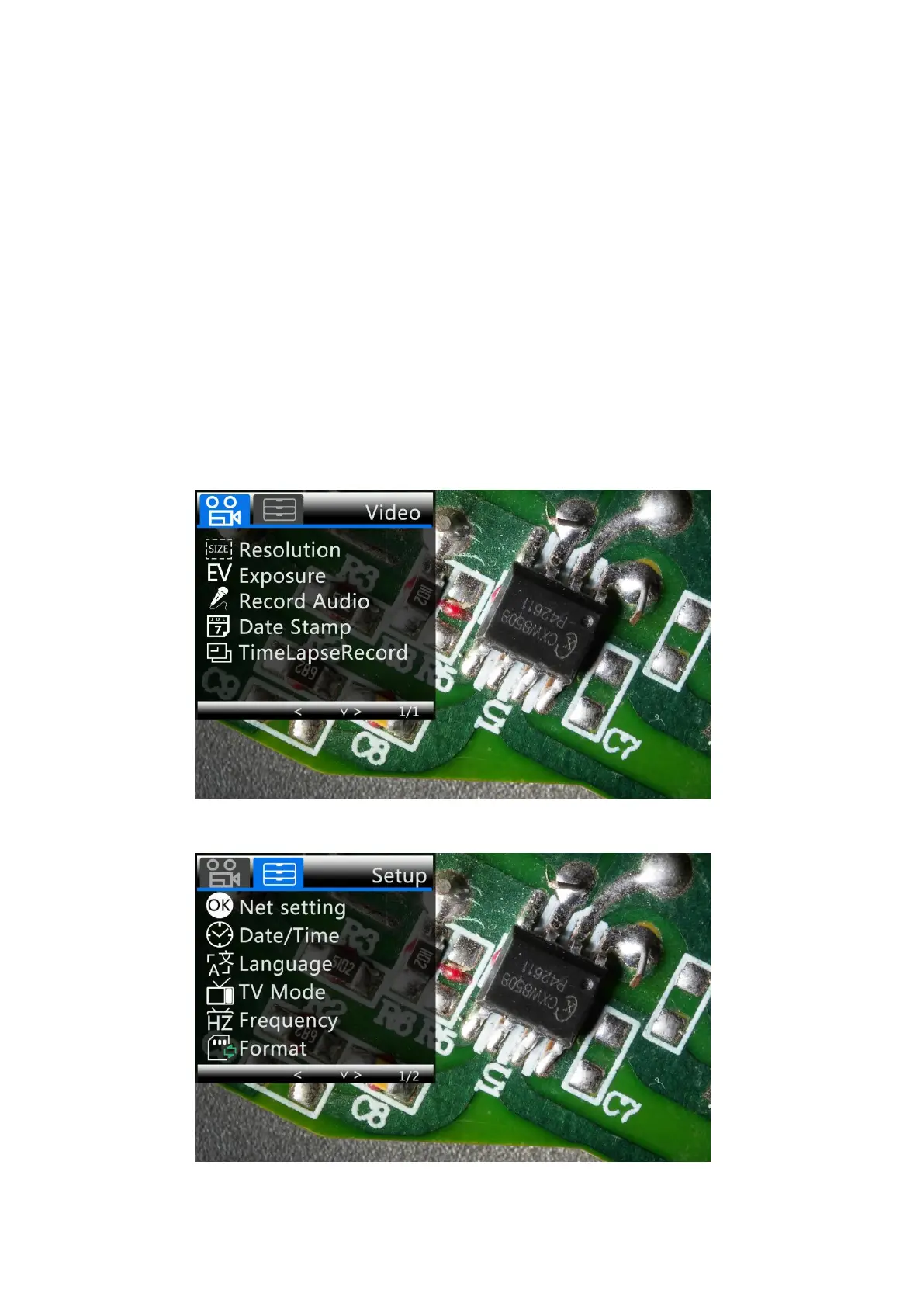
In each mode, press the M button and hold it for a while until the Video/Still/Playback Menu shows up
on the display(Or you can press MENU button on the remote). Hit M button again, get into the general
Setup Menu.
For example, if you are in Video standby mode, and you press MENU, this is the first menu would show,
the “Video menu”:
(
P7,video menu
)
Then, press MENU button (or M on the monitor) again, you get into the Setup menu, like this:
(
P8,setup menu
)



 To Next Page