APPENDICES
74
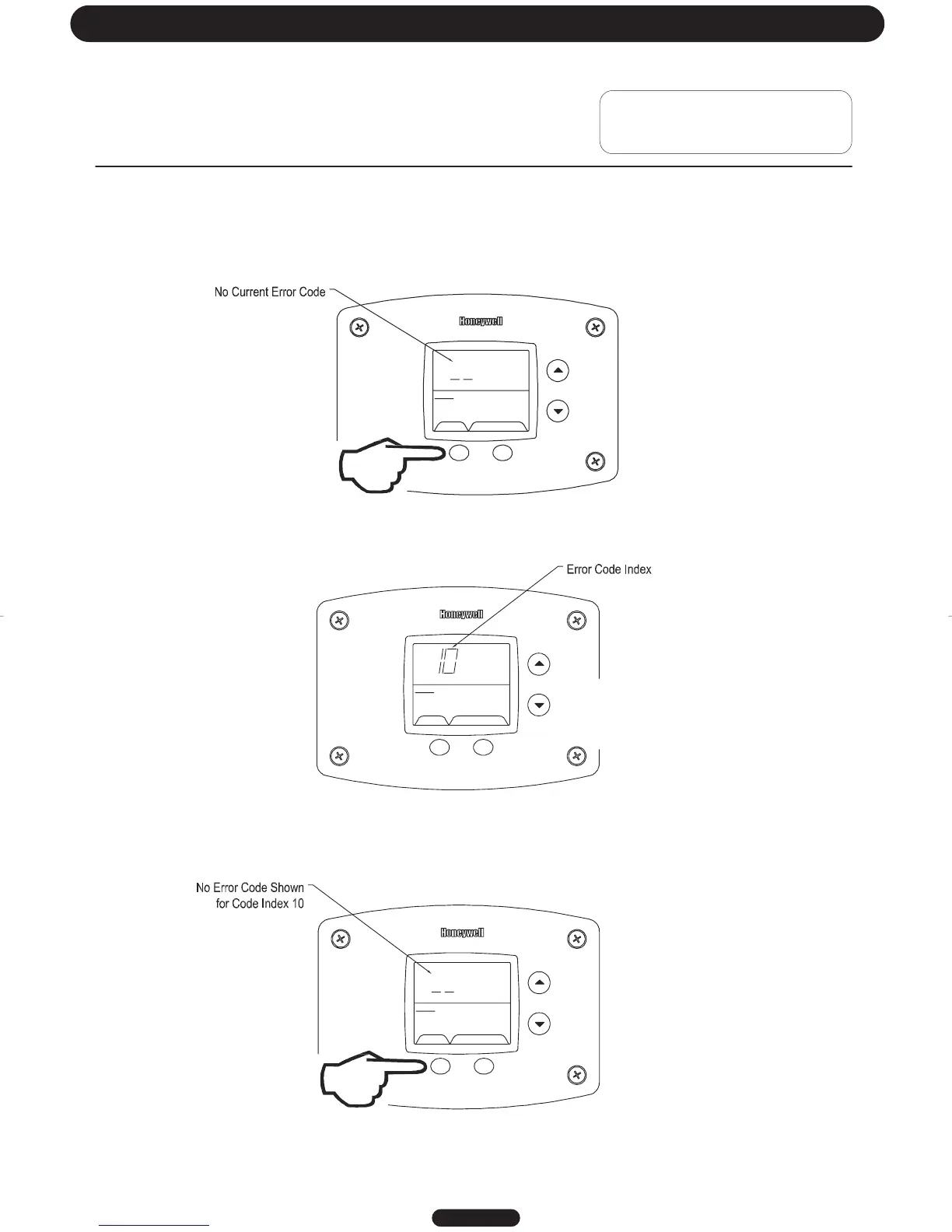
To view previous error codes:
Step 1:
In “Service Mode press the “Select” button until the next display after the “Software Version”. If there are no current
error codes, the display will show -- .
SELECT SET
Status
°F
idle
Operational
Step 2:
Press the “Temperature Down” button to select the error code index, starting with the most recent error code “10”.
SELECT SE
Status
idle
Operational
%
Step 3:
Press the “Select” button to view the error code for “code 10”. If there is a number displayed, note what the number is.
The label next to the water heater display will identify the code number. If no number is displayed with only a “--“ in the
water heater display, then there has not been an error code for error code index 10.
SELECT SET
Status
idle
Operational
Page 20
Troubleshooting




 To Next Page