2.4.2 First Print
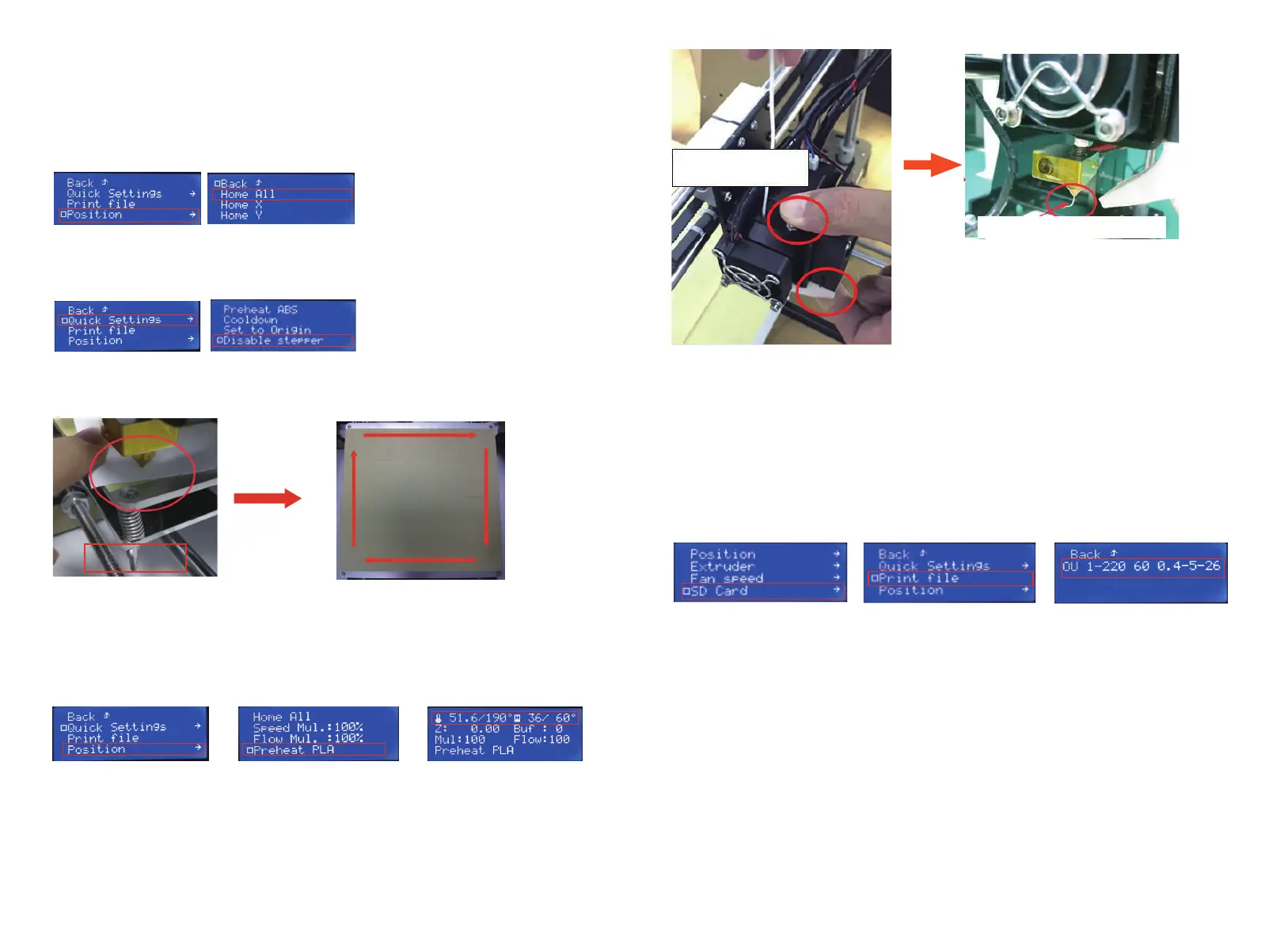
2.4.2.1 Leveling
2.4.2.2 Filament Installation(take PLA for example)
(2) Turn off Step Motor:After turn to zero,main menu“Quick Settings”
→“Disable stepper”
(3).Leveling:Adjust the distance between nozzle and hotbed to 0.1mm.
(1)Turn to zero:Main Menu“Position”→“Auto
home”.
1
2 3
4
(1) Peheating::Main Menu“Quick Settings” →“Preheat PLA”.Enter preheating state.
(2)Install Filament:When the preheating temperature reaches the setting data, push the filament into
tube as below. It means installation successes if the material overflows from nozzle.
(Also need preheat the nozzle when pull out the filament from extruder.)
The thumb presses the screw
head of the extrusion head, and
the index finger holds the air
guide. Quickly push the consum-
ables down until the nozzles are
spitting out.
Warning,Do not toch hot surface
Be careful with hot
hands
2.4.2.3 Print Operation
Choose Print File:Main Menu“SD Card” →“Print file”→“Model File”Confirm.
After the extruder and hot bed reach the setting temperature,the extruder starts moving and print.
More details about operation and user guide, welcome to visit www.anet.com.
page 30 page 31



 To Previous Page