62
4.Printing
1) SD Card Offline Printing
a. Loading mode
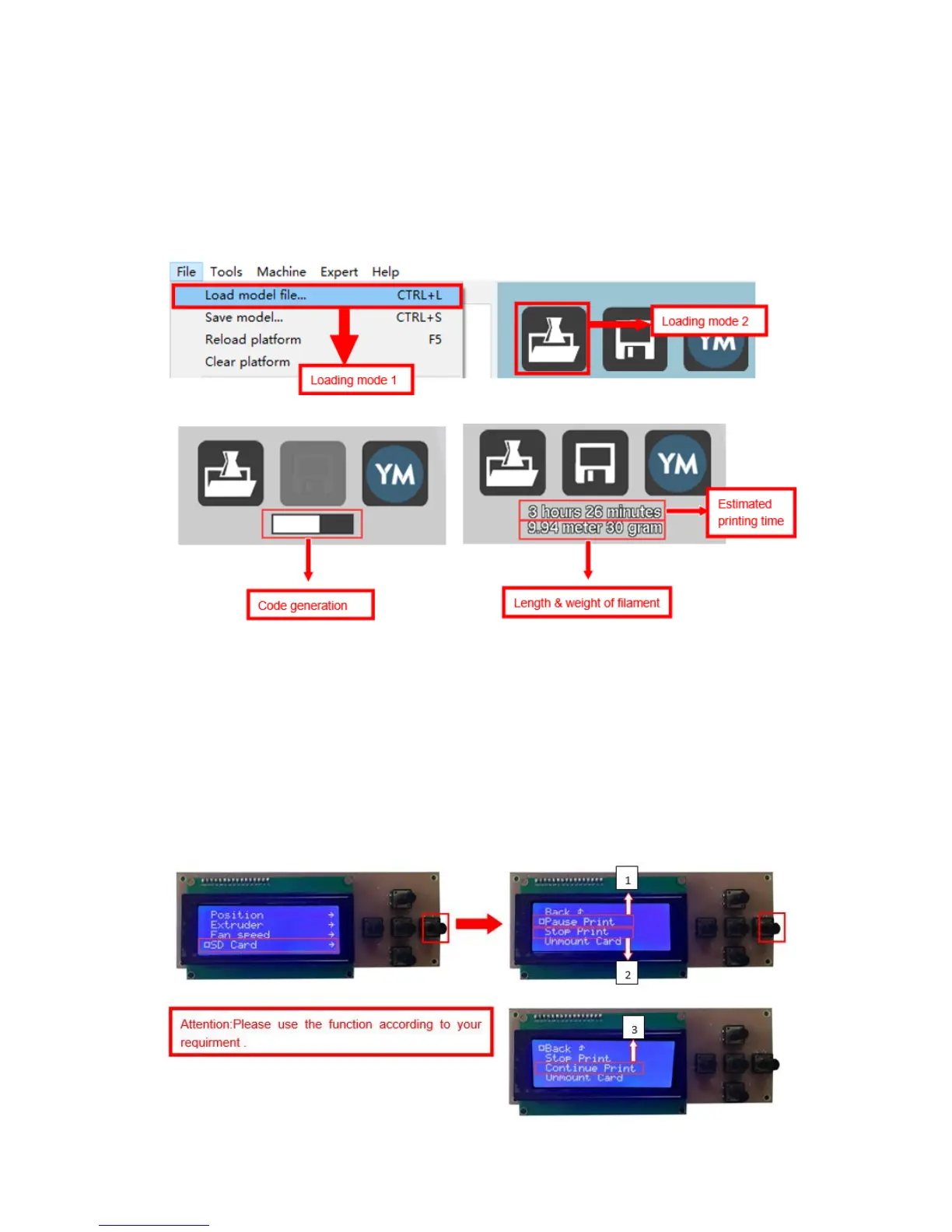
Cura supports STL file & G-code file.
b. Code Saving
Copy file to SD card . Then connect SD card to printer, click reset. Picture below
shows the location of print file , there are 2 methods to find print file.
c. Introduction of Stop print , Pause print , Continue Print:
Only when the printer is printing can we use Stop print, Pause print, Continue
Print.


 To Next Page