63
d. Print model
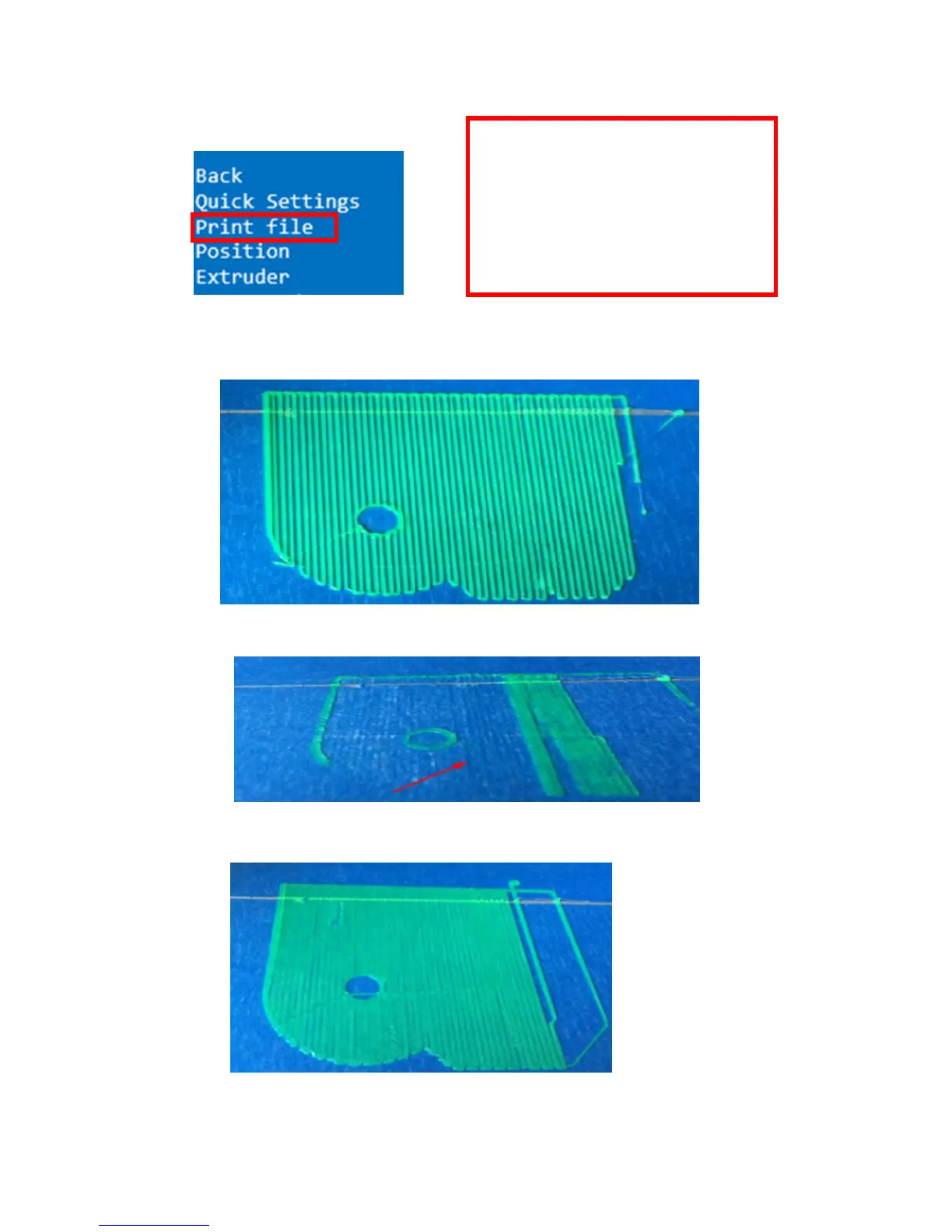
e. Judgment of the gap between nozzle and platform.
1. Too big gap: The printed model is uneven, curled with gap. It means the gap is too big for
filament to reach the platform, making the printing effect so bad.
2. Too close gap: The printed model edge has irregular projections. It means the gap is too
close to print normally. Sometimes it even cannot output filament
3. Appropriate distance: Printed model flat with no gap, no glitches. It means the distance is
appropriate to print.
Wait to print complete after gap adjustment.
The printer will start printing
automatically when the extruder &
hotbed reaches estimated temp after you
choose print model .
Attention: If the print bottom fails to stick
to platform tight , you can adjust the
platform to make it tight during printing.


 To Next Page