EasyManua.ls Logo

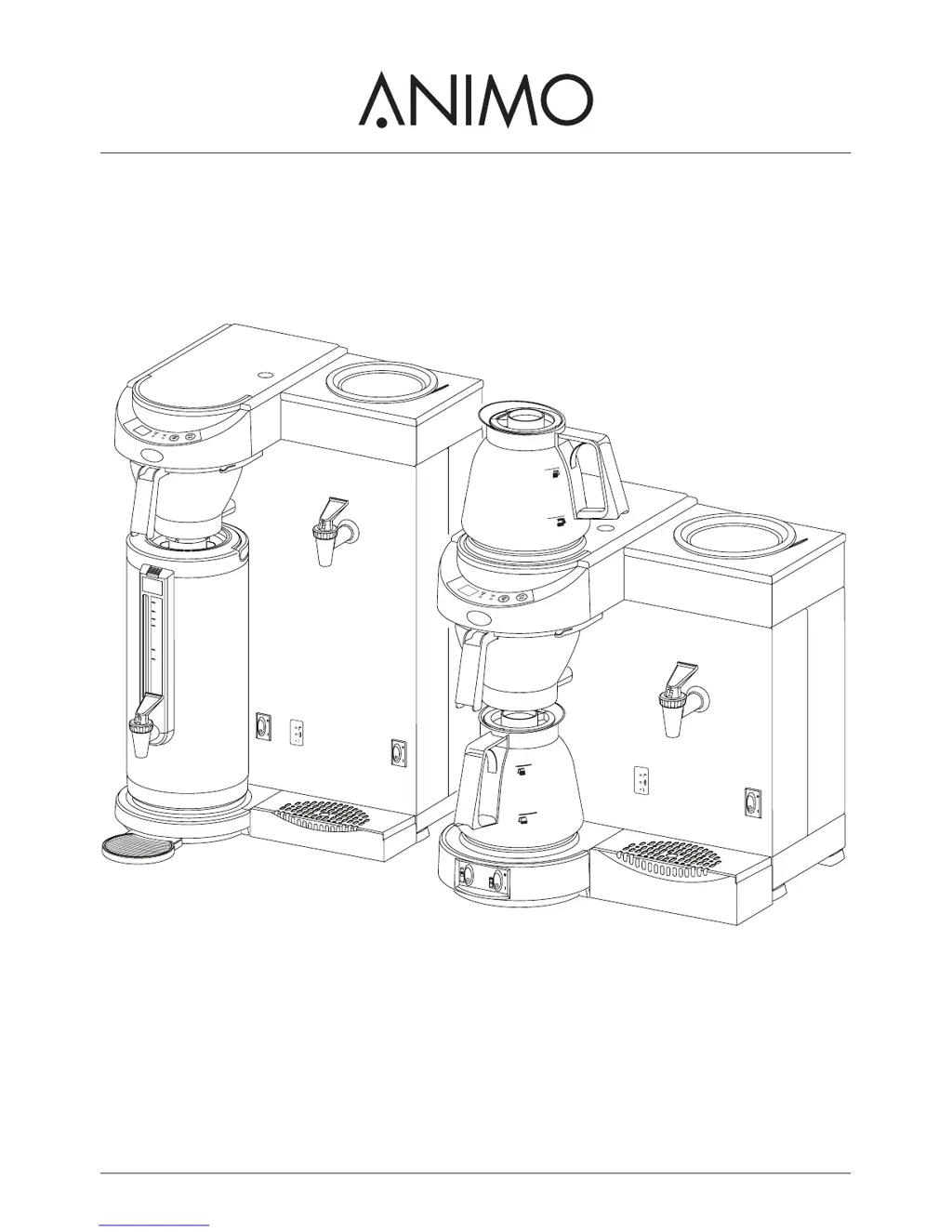
Animo M200W - User Manual

Animo M200W
30 pages
Print Icon
To Next Page IconTo Next Page
Loading...
M-LINE
M200W
M202W
MT200W
MT200Wp
MT202W
gebruiksaanwijzing
user manual
betriebsanleitung
mode d'emploi
BOILER
2.5
2.4
2.4
2
1,2
1
BOILER

Questions and Answers

  • B
    Brenda HowardAug 19, 2025
    What to do if coffee is dripping from my Animo M200W Coffee Maker filter when there is no jug?
    • R
      Raymond HughesAug 19, 2025
      If coffee is dripping out of the filter of your Animo Coffee Maker when there's no jug underneath, the leak stop valve on the filter outlet is likely soiled or damaged. You should clean the filter and inspect the leak stop valve for any signs of damage.
  • M
    Mr. Cody Taylor Jr.Aug 21, 2025
    What to do if the descale light stays on after descaling my Animo M200W Coffee Maker?
    • J
      jenniferellisAug 21, 2025
      If the descale indicator light on your Animo Coffee Maker remains on even after descaling, the appliance probably hasn't been reset. Press the programme button for 6 seconds to reset it and turn the light off.
  • L
    Linda HendersonAug 23, 2025
    How to fix E1 error on Animo Coffee Maker?
    • V
      Vincent DavisAug 23, 2025
      The E1 error on your Animo Coffee Maker indicates a filling time error, meaning the appliance is filling too slowly due to a blocked water supply. Check the water supply, ensure the tap is fully open, and increase the water pressure. Then, switch the appliance off and on again to clear the error.
  • J
    jillprestonAug 26, 2025
    Why is the descale light on my Animo Coffee Maker on?
    • E
      Ethan NewtonAug 26, 2025
      The descale indicator light on your Animo Coffee Maker comes on when scale deposits in the heating system exceed the set limit. To resolve this, you need to descale the appliance.
  • F
    Frederick GarrisonAug 28, 2025
    What to do if the brewing light is flickering on my Animo Coffee Maker but no water is getting into the filter?
    • C
      candicestoneAug 28, 2025
      If the brewing process indicator light is flickering and no water is entering the filter of your Animo Coffee Maker, the jug indicator might not be registering a jug, meaning there's no jug under the filter. Make sure to position a jug correctly, using the appropriate jug.
  • D
    Denise MooreAug 30, 2025
    Why is steam coming from the filter of my Animo M200W Coffee Maker?
    • E
      erinhuertaAug 30, 2025
      If steam is coming from the filter of your Animo Coffee Maker, it means the appliance wasn't descaled when the descale indicator light came on, or the wrong water setting has been applied. Descale the appliance.
  • C
    Carrie LangSep 1, 2025
    What to do if the brewing light is on but no water is getting into the filter in my Animo Coffee Maker?
    • S
      Scott WilsonSep 1, 2025
      If the brewing process indicator light is on but no water is getting into the filter of your Animo Coffee Maker, the dry-boil protection has likely been triggered. Reset the dry-boil protection.
  • T
    Tonya MartinSep 4, 2025
    How to fix coffee that is too strong from my Animo M200W Coffee Maker?
    • D
      Darrell BrennanSep 4, 2025
      If your coffee from the Animo Coffee Maker is too strong, it means too much coffee was placed in the filter. Reduce the amount of coffee you're using.
  • E
    Emma DiazSep 6, 2025
    How to fix coffee that is too weak from my Animo Coffee Maker?
    • Z
      zdavisSep 6, 2025
      If your coffee from the Animo Coffee Maker is too weak, it means not enough coffee was placed in the filter. Increase the amount of coffee you're using.
  • K
    Kimberly CunninghamSep 8, 2025
    Why is the coffee not hot enough from my Animo Coffee Maker?
    • S
      samantharossSep 9, 2025
      If the coffee from your Animo Coffee Maker isn't hot enough, it's likely that there's no lid on the jug. Make sure to use the lid.

Summary

Safety Instructions and Danger Warnings

Installation Safety Precautions

Covers positioning, electrical connection, water mains connection, and local regulations.

Maintenance and Troubleshooting Safety

Highlights observing descaling, following agent instructions, wearing safety gear, and using qualified engineers.

Appliance Safeguards

Dry-Boil Protection System

Explains the function of dry-boil protectors and how to reset them if triggered.

Jug Detector and Leak Stop

Explains the jug detector's role in ensuring a jug is present and stopping leaks.

Overflow Safeguard System

Details how overflow sensors in the coffeemaker and water boiler function and indicate issues.

Control Panel Functions Details

Installation Guide

Appliance Installation and Connections

Covers positioning, electrical connection, water mains connection, and safety during installation.

Installation Guide Details

Water Mains Connection

Details connecting the appliance to an easily accessible water tap using the provided hose.

First-Time Use Procedure

Step-by-step guide for the initial setup and operation of the coffee maker and water boiler.

Installation Settings

Daily Operation

Daily Operation Details

Making Coffee Step-by-Step

Detailed instructions on placing filter paper, coffee, jug, and operating the machine to brew coffee.

Settings and Configuration

Setting Coffee Volume

Explains how to adjust the amount of water used for brewing coffee, from 1.8L/14 cups.

Settings Details

Maintenance and Cleaning

Maintenance and Cleaning Details

Descaling Procedure

Recommends descaling both the coffee making section and water boiler in succession and highlights importance.

Descaling the Coffee Maker

Provides detailed steps for descaling the coffee maker, including using the descaling agent and rinsing.

Maintenance and Cleaning Settings

Descaling the Water Boiler

Details the process for descaling the water boiler, including using the descaling agent and rinsing.

Troubleshooting Guide

Troubleshooting Coffee Making Issues

Lists common coffee making symptoms, their possible causes, and recommended actions for resolution.

Troubleshooting Guide Details

Troubleshooting Coffee Making Issues (Continued)

Covers additional coffee making symptoms like coffee not hot enough, jug overflowing, and filling errors.

Troubleshooting Water Boiler Issues

Lists symptoms related to the water boiler, their causes, and actions, including indicator light patterns.

Animo M200W Specifications

General IconGeneral
BrandAnimo
ModelM200W
CategoryCoffee Maker
LanguageEnglish

Related product manuals