EasyManua.ls Logo

Animo M200 - User Manual

Animo M200
84 pages
Go to English
Print Icon
To Next Page IconTo Next Page
Loading...
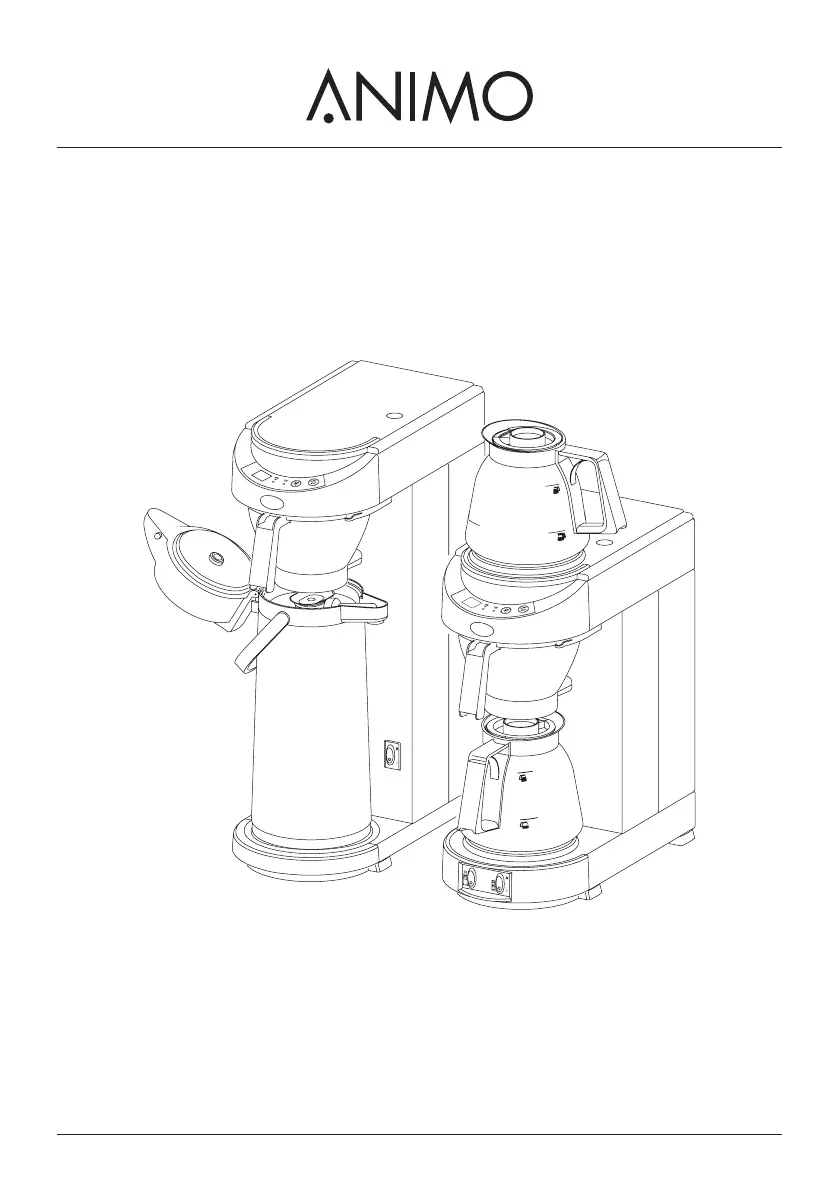
M-LINE
M200
M202
MT200
MT200v
gebruiksaanwijzing
user manual
betriebsanleitung
mode d'emploi

Table of Contents

Questions and Answers

  • J
    Jason MartinAug 18, 2025
    Why does E1 error appear on my Animo Coffee Maker?
    • J
      joseph72Aug 18, 2025
      The E1 error on your Animo Coffee Maker indicates a filling time error, likely because the appliance is filling too slowly due to a blocked water supply. Check the water supply, ensure the tap is fully open, and increase the water pressure. After these steps, switch the appliance off and on to clear the error.
  • M
    Matthew WashingtonAug 20, 2025
    What to do if the descale indicator light remains on after descaling my Animo Coffee Maker?
    • B
      blake36Aug 20, 2025
      If the descale indicator light remains on after descaling your Animo Coffee Maker, the appliance likely needs to be reset. Press the programme button for 6 seconds to turn the light off.
  • S
    stephenbrooksAug 23, 2025
    What to do if an E2, 3, 4, 5, 6, 7 error appears on Animo Coffee Maker?
    • S
      Sarah AndersonAug 23, 2025
      The E2, 3, 4, 5, 6, or 7 error on your Animo Coffee Maker indicates a defect that requires a service technician.
  • J
    Jason DixonAug 26, 2025
    What to do if the brewing process indicator light is on, but no water is getting into the filter of my Animo Coffee Maker?
    • P
      Paul DouglasAug 26, 2025
      If the brewing process indicator light is on but no water is getting into the filter of your Animo Coffee Maker, the dry-boil protection has likely been triggered. Reset the dry-boil protection.
  • S
    Scott CaseyAug 28, 2025
    Why is steam coming from the filter of my Animo Coffee Maker?
    • A
      Alyssa PhillipsAug 28, 2025
      Steam coming from the filter of your Animo Coffee Maker indicates that it wasn't descaled when the descale indicator light was on, or the incorrect water setting was used. Descale the appliance.
  • H
    Hannah RodriguezAug 30, 2025
    Why is coffee dripping from the filter of my Animo Coffee Maker when there is no jug?
    • M
      matthewsanchezAug 30, 2025
      If coffee drips from the filter of your Animo Coffee Maker when there's no jug, the leak stop valve is likely dirty or damaged. Clean the filter and inspect the leak stop valve for any damage.
  • J
    Jessica YuSep 2, 2025
    Why is the descale indicator light (5.2) on in my Animo Coffee Maker?
    • C
      coryfergusonSep 2, 2025
      The descale indicator light on your Animo Coffee Maker indicates that scale deposits in the heating system have exceeded the limit. Descale the appliance.
  • D
    dcrawfordSep 4, 2025
    Why is the coffee from my Animo Coffee Maker too strong?
    • K
      Kathryn RangelSep 5, 2025
      If the coffee from your Animo Coffee Maker is too strong, it's likely that too much coffee was placed in the filter. Reduce the amount of coffee you're using.
  • B
    Billy RobertsSep 7, 2025
    Why is the coffee from my Animo Coffee Maker too weak?
    • T
      Taylor HayesSep 7, 2025
      If the coffee from your Animo Coffee Maker is too weak, it could be due to a couple of reasons: * Not enough coffee was placed in the filter, so increase the amount of coffee used. * The water distributor is dirty, preventing complete saturation of the coffee. Unscrew and clean the water distributor.
  • M
    Michael MorganSep 9, 2025
    Why is the coffee from my Animo Coffee Maker not hot enough?
    • V
      vgoodwinSep 10, 2025
      If the coffee from your Animo Coffee Maker isn't hot enough, ensure that the lid is on the jug.

Summary

Safety instructions and danger warnings

Instructions for use

Provides essential instructions for safe operation and appliance protection.

Maintenance and troubleshooting

Highlights safety aspects of maintenance and troubleshooting.

Safeguards

Dry-boil protection

Explains the dry-boil protection feature and how to reset it.

On;off switch

Describes the function of the on/off switch and safety advice.

Start;stop button

Explains how to interrupt or stop the coffee making process.

Jug detector

Details the function of the jug detector for safe operation.

Overflow safeguard

Explains the overflow safeguard that monitors water levels.

1. GENERAL

2. TECHNICAL DETAILS

3. INSTALLATION

4. DAILY USE

5. SETTINGS

5.1 Setting of the amount of coffee

How to adjust the coffee quantity for different jug sizes.

6. MAINTENANCE

6.1.1 Removing coffee deposits from glass jug and filter

Procedure for cleaning coffee residues from glass jugs and filters.

6.1.2 Removing coffee deposits from thermos jug

Procedure for cleaning coffee residues from thermos jugs.

CAUTIONs during Descaling

Safety advice to follow when descaling the appliance.

6.2 Descaling

Step-by-step guide for descaling the heating system.

6.2.1 Switching-off the descale indicator light

How to turn off the descale indicator light after descaling.

7. TROUBLESHOOTING

Troubleshooting guide coffee making selection

A guide to diagnose and resolve common coffee making issues.

Troubleshooting guide coffee making selection (cont.)

Continues the troubleshooting guide for various symptoms and causes.

Animo M200 Specifications

General IconGeneral
BrandAnimo
ModelM200
CategoryCoffee Maker
LanguageEnglish

Related product manuals