USB Charging
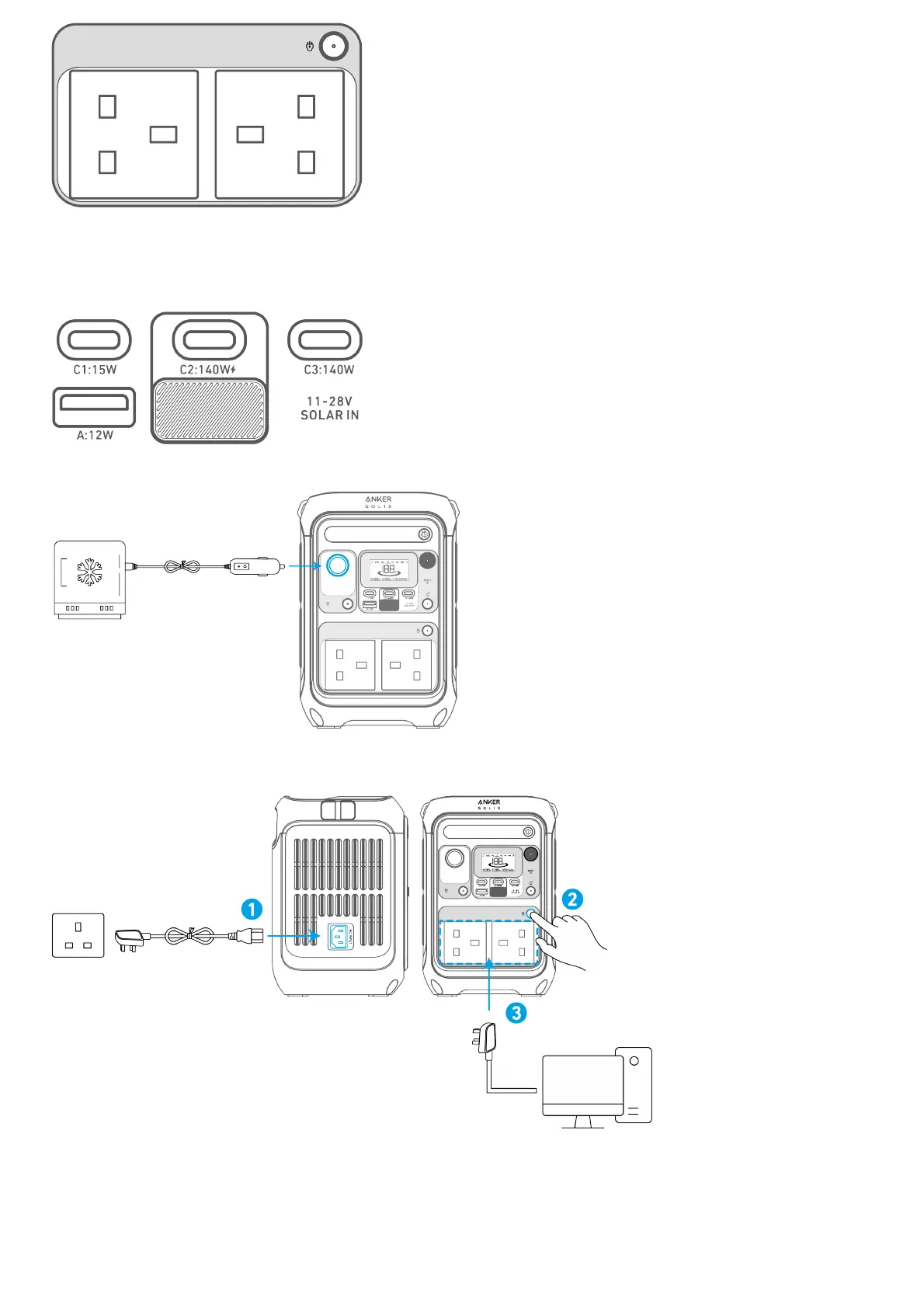
Connect your devices to the USB ports.
Note: The USB-C2 and USB-C3 output ports are a PS3 classification. There is a risk of fire when connecting additional equipment to the USB-C ports;
safeguards against fire in the connected equipment or accessories should be considered. Only connect your portable power station to equipment or
accessories that comply with clauses 6.3, 6.4 and 6.5 of IEC/EN IEC/ BS EN IEC 62368-1 standards. Additionally, use a USB-C 5A cable to achieve
maximum power (20VDC/5A, 100W; 28VDC/5A, 140W).
Car Socket Charging
Turn on the car socket and connect your devices to start charging.
Uninterruptible Power Supply (UPS)
To use the UPS feature, connect your power station to a wall outlet with the AC charging cable, then press the AC outlet button and connect your devices
via the AC output ports. UPS supports 10ms.
SurgePad™
Anker SOLIX C300 Portable Power Station supports the SurgePad™ feature for up to 600W AC output.
SurgePad™ automatically turns on when the total output exceeds the rated output, allowing the power station to deliver rated power to high-wattage
devices.
SurgePad™ does not function in bypass mode (when the power station is being charged with the AC output on).
SurgePad™ works better with devices that generate heat, but does not support precision instruments and other devices that have voltage protection or strict
voltage requirements. To see if SurgePad™ works with your high-wattage devices, try powering them with the power station.


 To Next Page