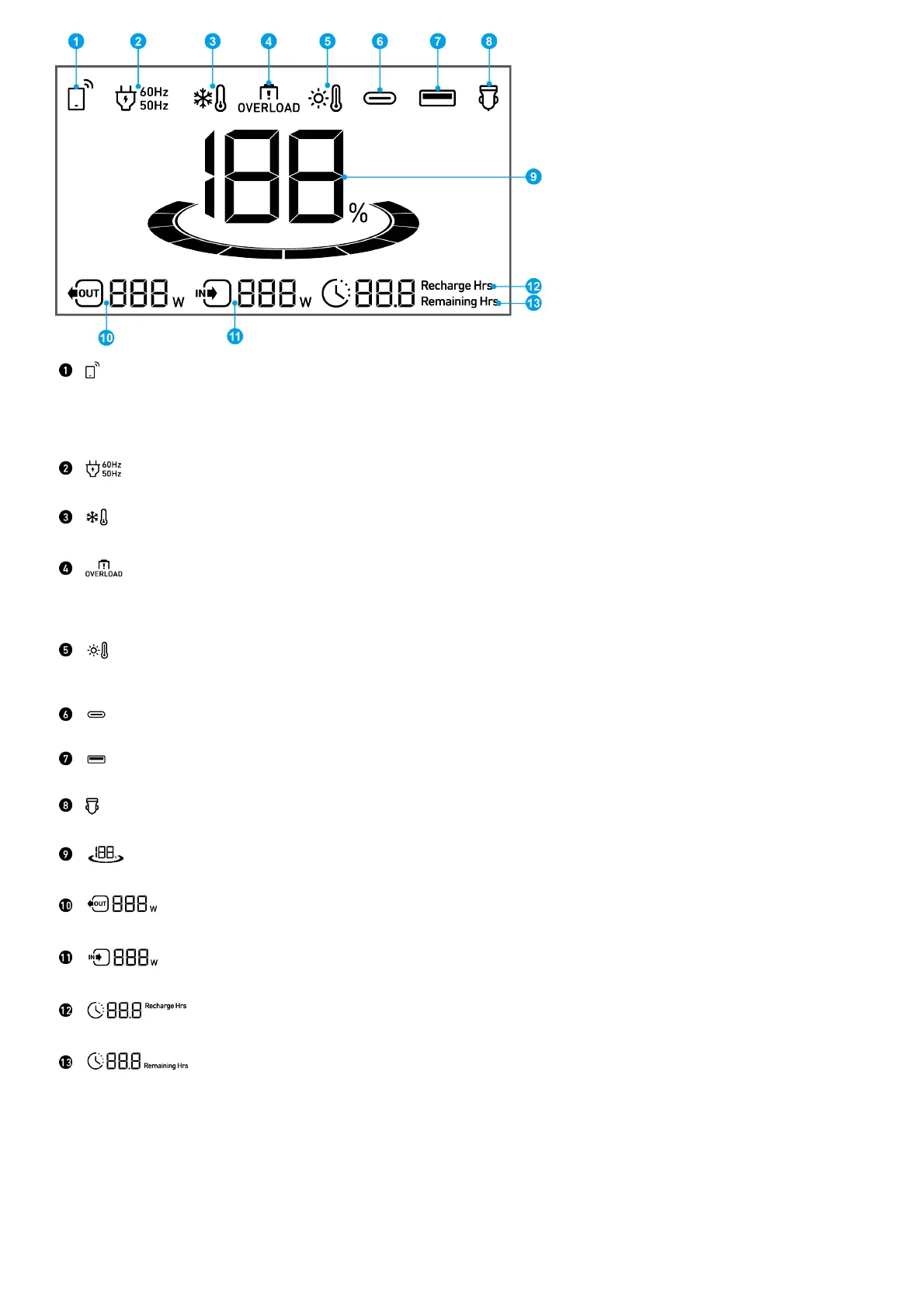
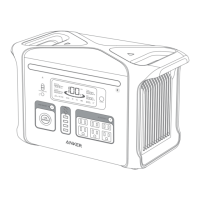
Press the IoT button once to turn on Bluetooth and Wi-Fi, and connect your devices through the app when this
icon appears on the screen.
Press the IoT button for 2 seconds to turn off Bluetooth and Wi-Fi.
Press the IoT button for 7 seconds to reset Bluetooth and Wi-Fi.
AC Charge and Voltage Frequency
Low-Temperature Alert: When this icon shows, stop using the power station until the icon disappears.
Overload Warning:
This icon appears when a port is overloaded. The port will be turned off to avoid any damage. Please remove
the device causing overload.
High-Temperature Alert:
When this icon shows, stop using the power station and let it cool down until the icon disappears.
USB-C Input/Output Port
USB-A Output Port
Car Charging
Remaining Battery for Power Station
Current Output Power
Current Input Power
Estimated Time to Fully Recharge
Estimated Time for Battery to Deplete
The Anker App for Smart Control
You can remotely control your power station using the Anker app.
1. Download the Anker app from the App Store (iOS devices) or Google Play (Android devices), or by scanning the QR code.


 To Next Page