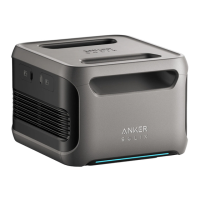
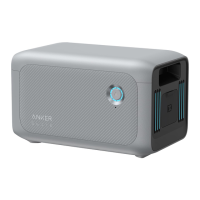
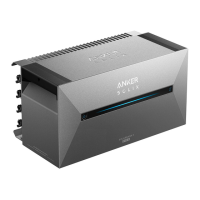
The Anker SOLIX Solarbank 2 E1600 Plus is a primary system designed for whole-home photovoltaic energy cycles, serving as the main service equipment. It is capable of supporting up to five Anker SOLIX BP1600 Expansion Battery modules and can be used in conjunction with an Anker SOLIX Smart Meter.
Function Description:
The Solarbank 2 E1600 Plus manages the charging and discharging of solar energy within a home system. It can intelligently perform these operations based on real-time power demand from household loads when connected to a Smart Meter (Self-Consumption mode). Alternatively, users can set a custom schedule for discharging a fixed amount of power into home loads at different times, storing extra energy in the Solarbank for later use (Custom Mode). The system provides visual energy flow and data information, allowing users to monitor and regulate photovoltaic energy usage. It aims to maximize the use of solar energy by storing excess power during off-peak hours and discharging it during peak consumption periods.
Important Technical Specifications:
- Model: A17C3
- Rated Capacity: 100Ah/1600Wh
- Rechargeable Li-Ion Battery: LiFePO4
- Wireless Connection: Bluetooth, 2.4GHz Wi-Fi
- Max PV Input Voltage: 60VDC
- Max PV Input Current: 16ADC (per channel)
- Max Isc PV: 20ADC
- Max MPPT Input Power: 1200W
- PV Operation Voltage Range: 16-60VDC
- Number of MPPT: 2
- Max Inverter Backfeed Current: 0
- AC Output Output: 800W
- AC Rated Power: 220/230/240VAC, 50/60Hz
- Max AC Output Current: 3.5AAC, 230VAC
- Power Factor: 1 (-0.8~+0.8)
- Max Output Fault Current: 11A
- Max Output Overcurrent Protection: 11A
- Inrush Current: 23.6A
- Battery Rated Voltage: 16VDC
- Max Charge Current: 75ADC
- Max Discharge Current: 75ADC
- Rated Power (Battery Terminal): 800W
- Max Charging Power: 1200W (with Add-On Battery)
- Max Discharging Power: 1000W
- Expandable Battery Quantity: 5
- Max Expandable Capacity: 9600Wh
- Max AC Output Power (Backup Terminal): 1000W
- Max AC Apparent Power (Backup Terminal): 1000VA
- AC Output (Backup Terminal): 4.4AAC(max), 230VAC, 50/60Hz
- Max Output Fault Current (Backup Terminal): 11A
- Max Output Overcurrent Protection (Backup Terminal): 11A
- Power Factor (Backup Terminal): 1 (-0.8~+0.8)
- Charging Temperature Range: -20°C~55°C
- Discharging Temperature Range: -20°C~55°C
- Self-Heating: Yes, activated below 0°C
- Relative Humidity: 5%-95%
- Maximum Altitude Rating: Below 4000m
- Ingress Protection: IP65
- Environmental Category: Outdoor Use
- Wet Location Classification: Wet Location
- Pollution Degree: PD3 (External), PD2 (Internal)
- Overvoltage Category: OVCII (DC), OVCIII (AC)
- Protective Class: Class I
- Warranty: 10 Years
- Dimensions: 460 x 249 × 254mm
- Net Weight: 21.2kg
Usage Features:
- Installation Flexibility: The Solarbank can be installed with or without expansion batteries. It requires a minimum distance of 30mm from the wall for the first expansion battery. The L-Shape Wall Mount Fitting can be attached to either the front or back side of the expansion battery.
- Button Controls:
- Power Button (left):
- Press for 4 seconds: Turn on Solarbank.
- Press for 2 seconds: Turn off Solarbank.
- Press once when powered on: Check current battery level.
- IoT Button (right):
- Press once: Enable Internet connection.
- Press for 2 seconds: Disable Internet connection.
- Press for 7 seconds: Reset Bluetooth and Wi-Fi.
- Simultaneously press both buttons for 9 seconds: Reset Solarbank.
- LED Guide: A light bar indicates various statuses:
- Center LED lights up toward both sides: Powered on.
- Lights on both sides fade toward the center: Powered off.
- LED lights up toward both sides and cycles: Recharging.
- Light bar changes according to battery level: Battery level (e.g., 100%, 50%, 20%).
- Light runs from right to left: Upgrading OTA.
- Power button light flashes red: Malfunction / Warning.
- App Integration: The Anker App (available on App Store and Google Play) is essential for setup and control.
- Account Registration: Users must select their country/region to ensure proper device connection. Login is available via Anker account, Amazon, or Apple ID.
- Network Configuration: The device supports 2.4GHz Wi-Fi. The app guides users through connecting the Solarbank to their home Wi-Fi network.
- Device Management: The app allows adding the Solarbank and optional Anker SOLIX Smart Meter to the home system.
- Energy Plan Setting: Users can choose between "Self-Consumption" mode (requires Smart Meter for intelligent energy management) or "Custom Mode" (manual scheduling of power discharge). Energy plans can be set for each day of the week.
- Safety Features:
- Warning signs indicate high voltage and electric shock risks. Users are advised to wait 3 minutes after shutdown/disconnection before touching the inverter.
- The grid connection must be grounded to prevent electric shock.
- The product includes a double isolation transformer for enhanced safety, eliminating the need for array ground insulation resistance measurement and residual current detection.
- Overvoltage, overcurrent, short circuit, temperature, overcharging, and over-discharge protections are built-in.
- Environmental Considerations: The device is designed for outdoor use with IP65 ingress protection. It has a wide operating temperature range for charging and discharging.
Maintenance Features:
- Firmware Updates: The Anker App facilitates firmware updates for the Solarbank and Smart Meter, ensuring optimal performance and compatibility. Users are advised to ensure devices are connected to Wi-Fi during updates.
- Pre-Installation Check: Before unpacking, check the outer packaging for damage and verify the model number. After unpacking, ensure all deliverables are intact and complete.
- Battery Expansion: When adding expansion batteries, the system must be powered off and shut down to protect both the user and the equipment. This involves disconnecting the Solarbank and solar panels, turning off the power, installing batteries, and then reconnecting the solar panels.
- Troubleshooting: The app provides guidance for network configuration failures, suggesting checks for Wi-Fi router functionality, proximity to the device, and correct password entry.
- Connection Guidelines: It is crucial never to connect two or more photovoltaic panels in series, as this can cause the input voltage to exceed 60V and damage the equipment. The AC outlet must be properly grounded.

 Need help?
 General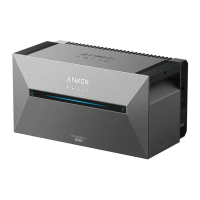

 To Next Page