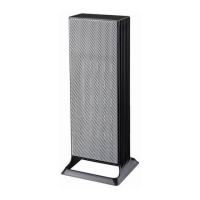
4. Pressing the button for a third time, the heater will begin to operate in High
Heat Mode and the indicator will light up. In this mode “02” will display on
screen and flash 4 times, then the screen reverts to showing the current room
temperature. Under this mode, the heater will continuously heat up under the High
1500W power.
5. To adjust the thermostat, press the button until you reach your desired
temperature, between 15°c ~ 40°c. Once the temperature is confirmed, the display
will flash 4 times and then will revert to show the current room temperature. The
heater will now cycle on and off to maintain the set temperature.
To find a comfortable temperature; we recommend setting the thermostat to the
maximum. When the room reaches a comfortable temperature for you, reduce the
set temperature to match the heater’s temperature reading.
Please note: the fan will continue to run even though the elements have switched
off. This is normal.
Note: the temperature is read from a thermostat in the heater, for a more accurate
reading, position a separate thermometer in another part of the room.
6. To set the timer, press the button until you reach your required time. The
timer can be set between 1 to 12 hours, in 1 hour intervals. Once the desired run
time is confirmed, the display will flash 4 times and then will revert to show the
current room temperature. To cancel the timer, simply press the button until
00 is shown.
7. To activate the oscillation, press the button to turn on or off.
8. To power off the heater, press the button. The heater will continue to work in
FAN mode for 30 seconds, allowing the product to cool. Once the display has gone
black, you can turn your heater off at the power switch on the back of the unit.
REMOTE CONTROL
The remote will operate all of the controls the same as the control panel. This remote
requires 2 x AAA batteries which are not included in the box.



 To Next Page