Page 14 of 16
10 Troubleshooting
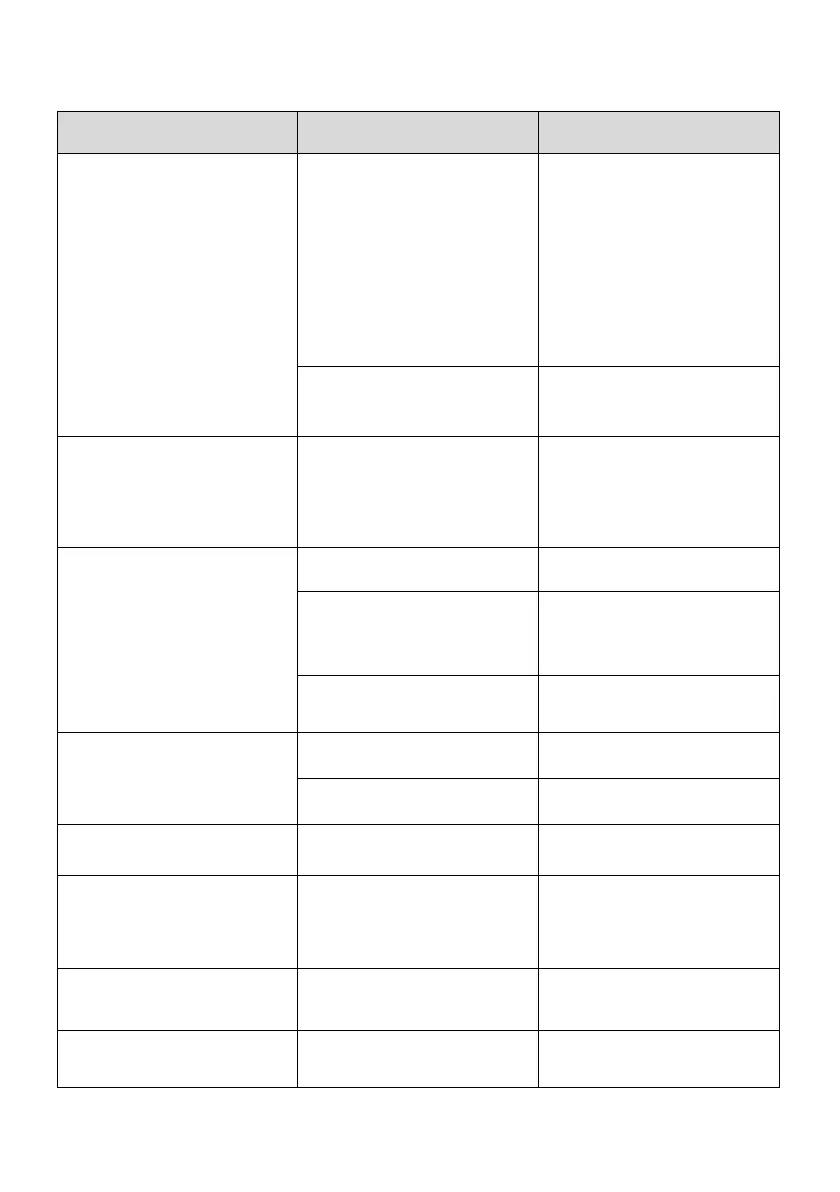
Common problems Cause Remedy
No Power to the unit (On / Off
button not lighting up Steady
Red)
Power Not Switched On.
Plug in the power supply and
switch it On at the power point.
If still no power, check if the
supplied by
another appliance such as a
table lamp.
If no power to the power point,
call an electrician.
plugged into the appliance.
Insert the small plug end on the
appliance.
Power is supplied but the
indicator light in the On / Off
Button is still Steady Red.
No Mode has been selected
Press the On / Off button until
your desired mode is selected.
The On / Off button light will
change to Blue
On / Off light is flashing Red
and the unit will not start.
No water
Fill the water tank and refit to
the base.
The water float may be stuck
Jiggle the water float (level
sensor) to make sure it is free.
(refer to “Components” Section
for location of the water float)
No Water Tank fitted
The water tank must be fitted to
the base and have water.
Not much Mist is being emitted
The mist range is set to Low.
Refer to the “Mode” section for
Mist Level.
The mist outlet is blocked
Check and clean out the mist
outlet.
Too much Mist is being emitted The mist range is set to High.
Refer to the “Mode” section for
Mist Level.
Water
water tank and base unit
The water level in the water
trough is too high
Empty the water tank and the
water trough, then refill the tank
with cool tap water and start
over.
Night Light is on
selected
Refer to the “Mode” section for
Night Light Option
Night Light is off
The night light has not been
selected
Refer to the “Mode” section for
Night Light Option



 To Next Page