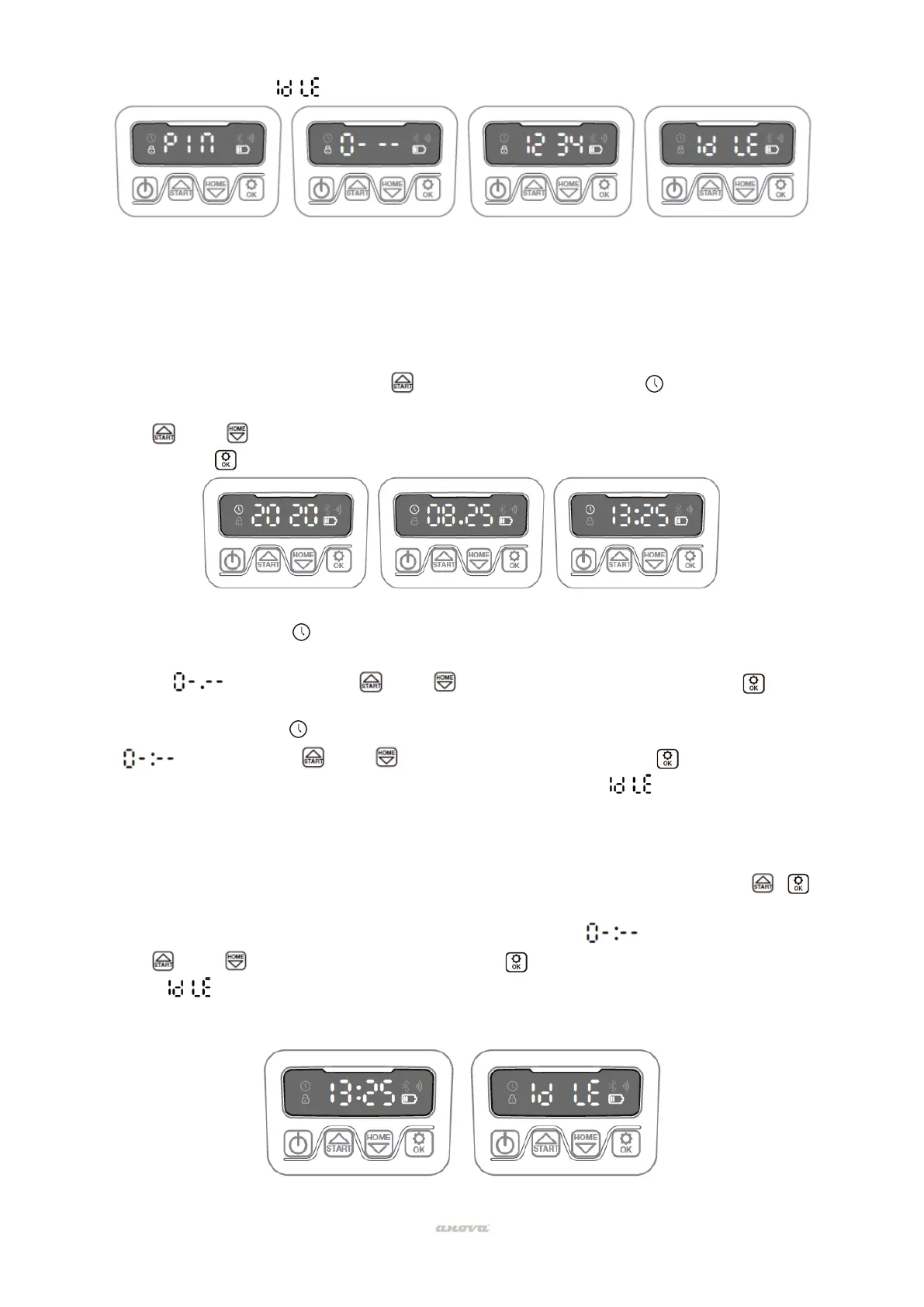
15
desired PIN code (in this example, 1234).
• Then it will appear on the screen. Your PIN code has been changed successfully.
*Note: For reference only
Set year, date and time
Setting the year, date, and time are required setup items. If you do not set these items, it will
influence the scheduling time in the following settings. These items must be set in the order of
year, date, and time. For year setting:
• For year setting, press and hold for 5 seconds until the icon and a number flash on
the screen, for example, 2020.
• use either to select the year you want.
• Then press to confirm and finish the year setting.
*Note: For reference only
• Meanwhile, the icon it will flash again and a number will be displayed to indicate the
date, for example, 08.25, which means August 25.
• When is flashing, use either to select the number and press to confirm.
Then finish the date setting.
• Meanwhile, the icon will flash and the time will be displayed, for example, 13:25. When
is flashing, use either to select the number and press to confirm.
• Now that the time setting is complete, the display will show .
Change the default start time
The default start time of 9:00 can be changed to any time by pressing the buttons Y at the
same time for 3 seconds.
For example, if you want to change the time to 1:25 p.m., when blink:
• use either to select the number and press to confirm.
• Later will appear on the screen and your mower will start mowing from 13:25, at the
same time you will hear a beep.


 To Next Page