14
6. SETTINGS
Robotic lawnmower quick setup guide
1) After the installation of the perimeter wire, you can start using the robotic lawnmower.
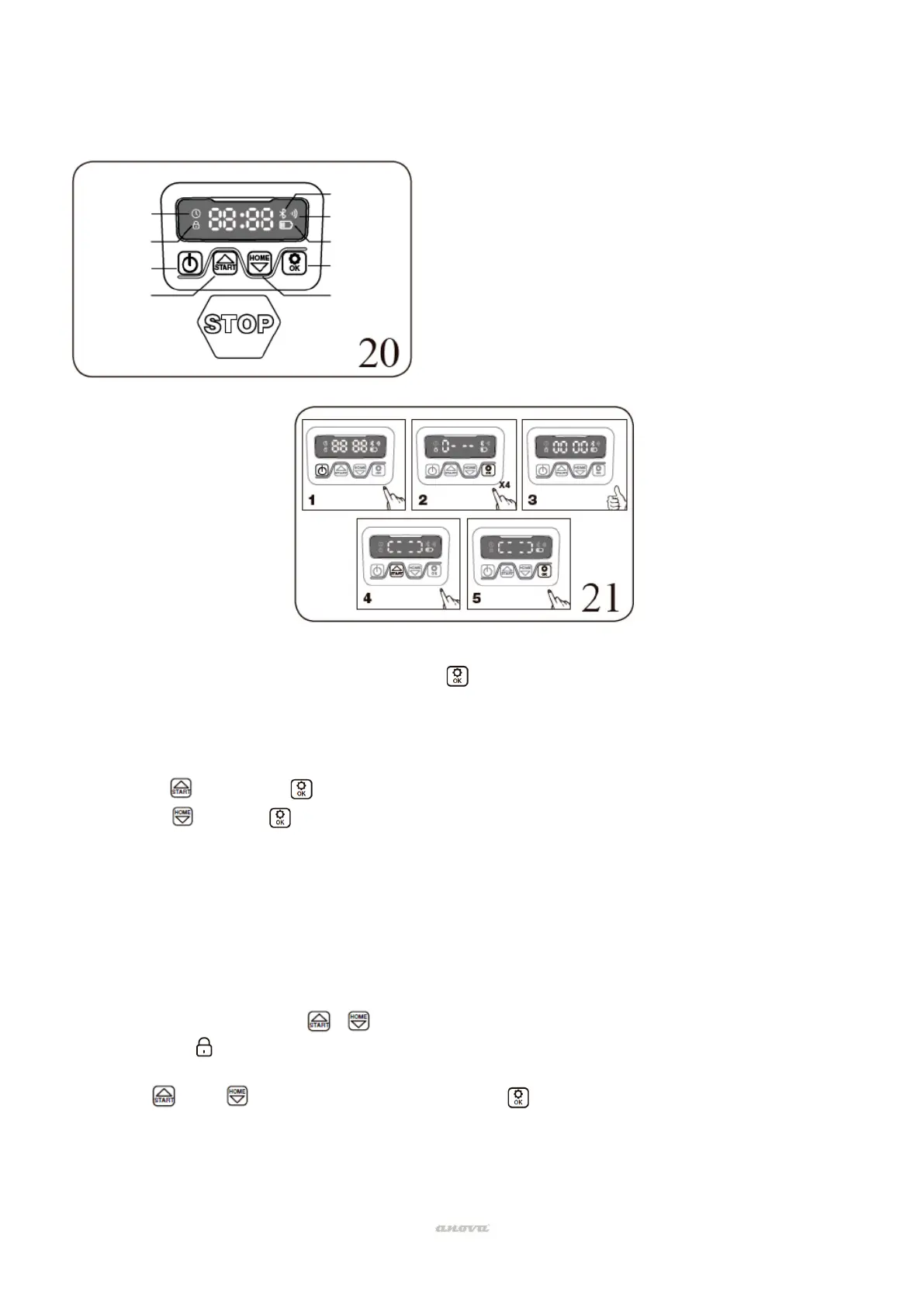
2) Press the on/off button (3) until the robotic lawnmower turns on. For the first use, enter
the default PIN code 0000 by pressing four times when the number 0 is flashing. The
PIN code can be changed, see the following configuration section.
Note: The robotic lawnmower will turn off if it does not receive any input within 30
seconds after it is turned on. If an incorrect PIN code is entered ten times, the robotic
lawnmower will give an audible alarm and then turn off.
3) Press , then press to start mowing the lawn.
4) Press and then for the robot to return to the charging station.
The robotic lawnmower will run continuously until it reaches low battery power level and then it
will return to the charging base. After charging is complete, the robotic lawnmower will
automatically resume mowing or stay on the charging base according to the mowing schedule.
Change PIN code
To change the PIN code:
• Hold down the buttons Y at the same time for 3 seconds.
• The icon will flash, "PIN 1" will flash, that means you need to enter the old PIN. After
"PIN 1" is displayed, the first number will flash.
• use either to select the number and press to confirm. The next number will flash.
• Use the same method to enter your old PIN. Now you can set your new PIN.
• For example, the new PIN code is set to be 1234. After you enter your old PIN, "PIN2"
will flash and the first number will flash again. Use the same method to enter your new
2. Password setting icon
3. Power on/off
4. Start work/ Upload
5.Bluetooth
6. Wi-Fi
7. Battery icon
8. Confirm (OK)
9. Return to the station / Get off


 To Next Page