23
APP commands:
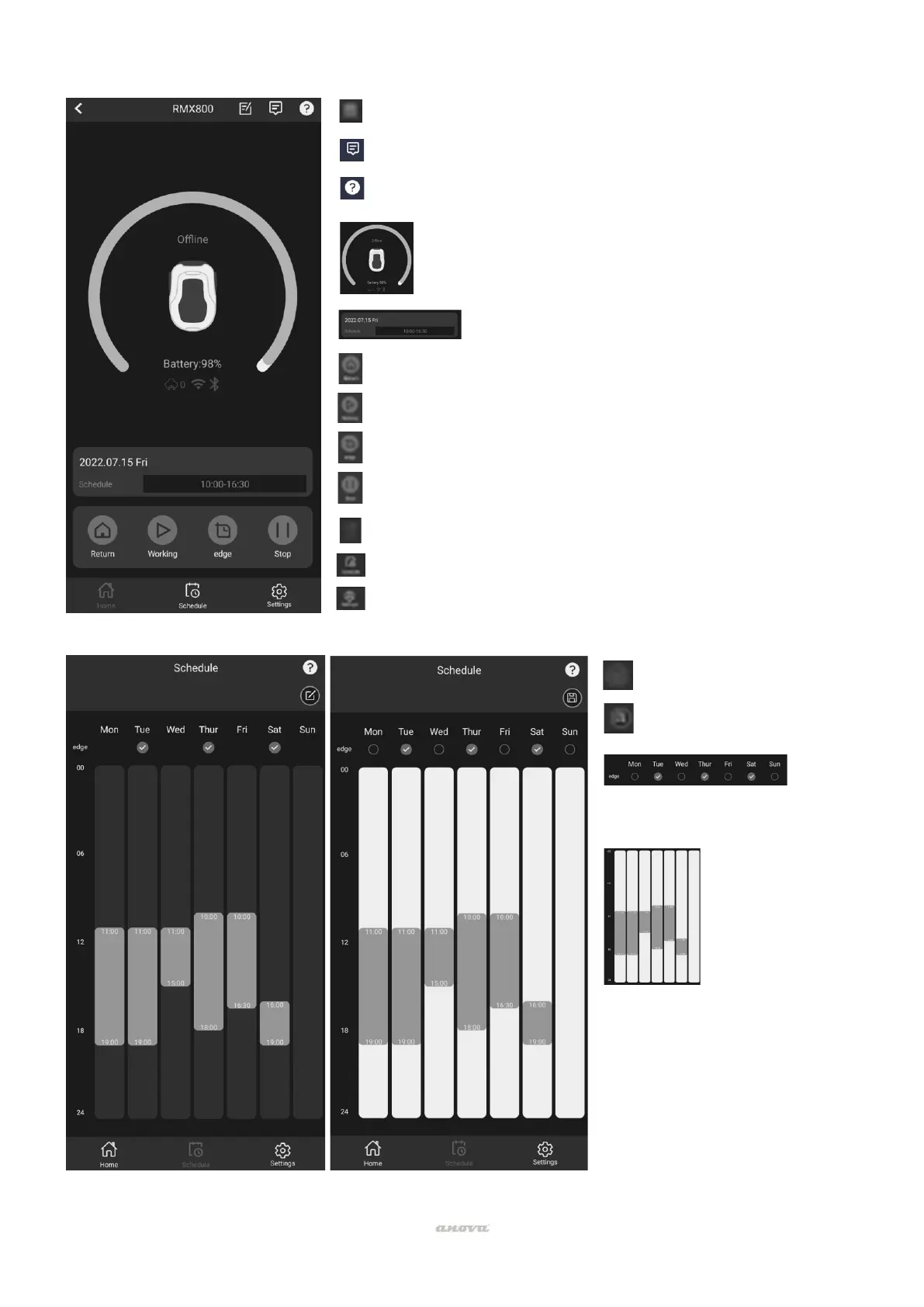
Access to sending reports and contact with the manufacturer.
Access to event log and work history.
Explanatory tutorial of the main commands.
General report of the status of the robot. Battery level,
connection, connection type and rain indicator.
If the robot is cutting, return to base order. You must press Stop
first.
If the robot is in base, order to start cutting.
If the robot is in base, command to cut perimeter edges.
If the robot is cutting, stop order.
Access to home screen and general status.
Access to work calendar programming.
Access to secondary settings: name, starting point, rain delay, Wi-
Fi settings, time setting, software updates.
Button to edit programming.
Button to save programming.
List of days to cut along the edges.
Work start and end time setting screen
per day. It can be adjusted by
touching the bar or by pressing and



 To Next Page